How do I void an invoice?
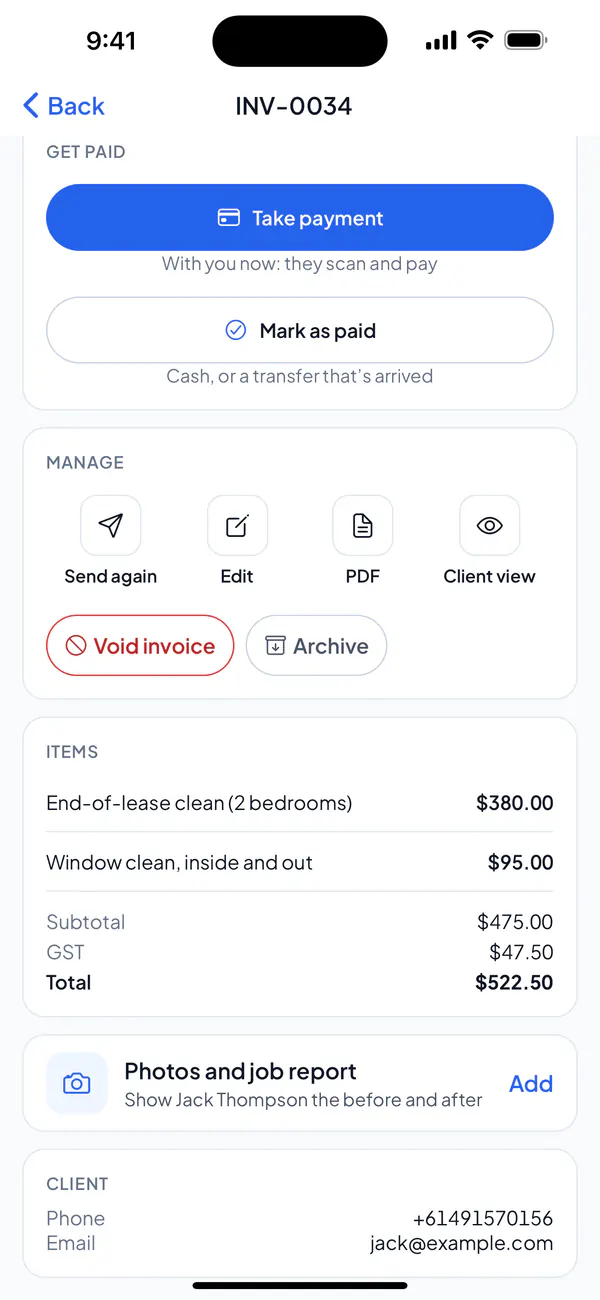
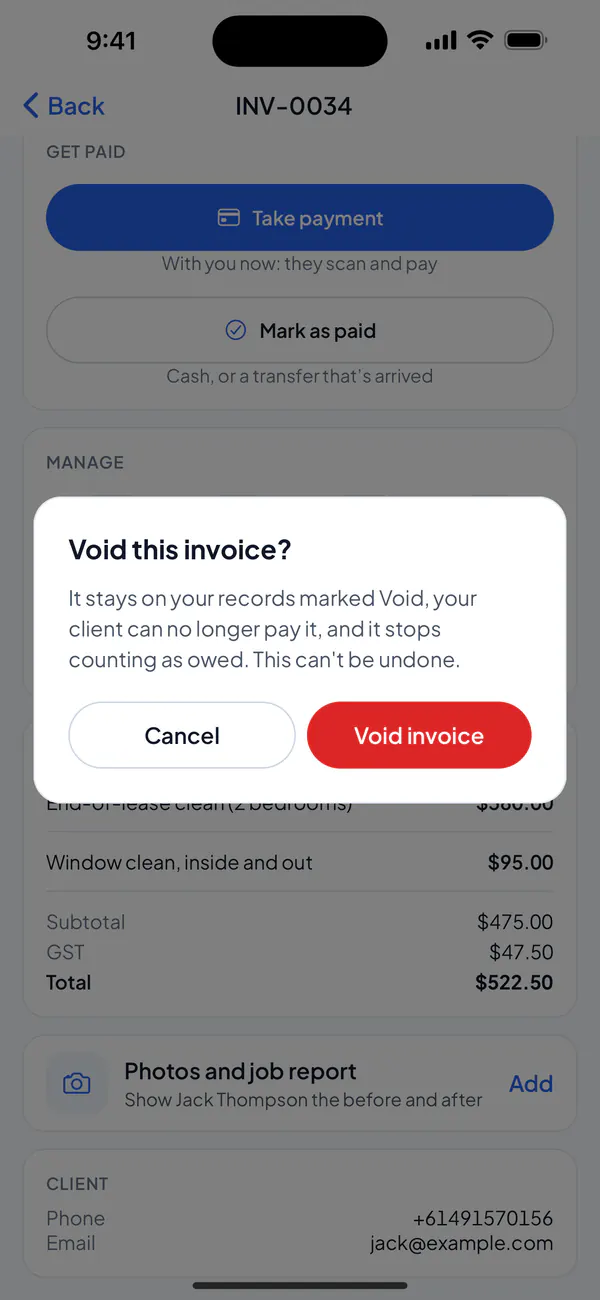
Open a sent, unpaid invoice and choose Void invoice. It stays on your records marked Void, and your client can no longer pay it.
Step 1: Open the invoice and tap Void invoice.
Step 2: Tap Void invoice again to confirm.
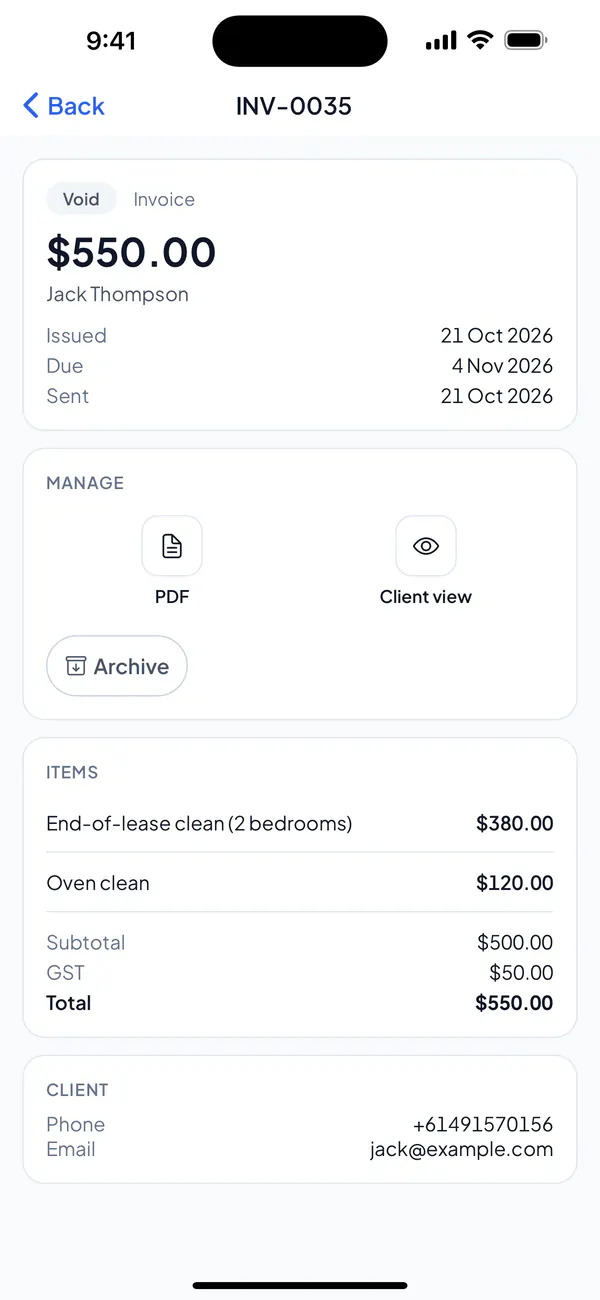
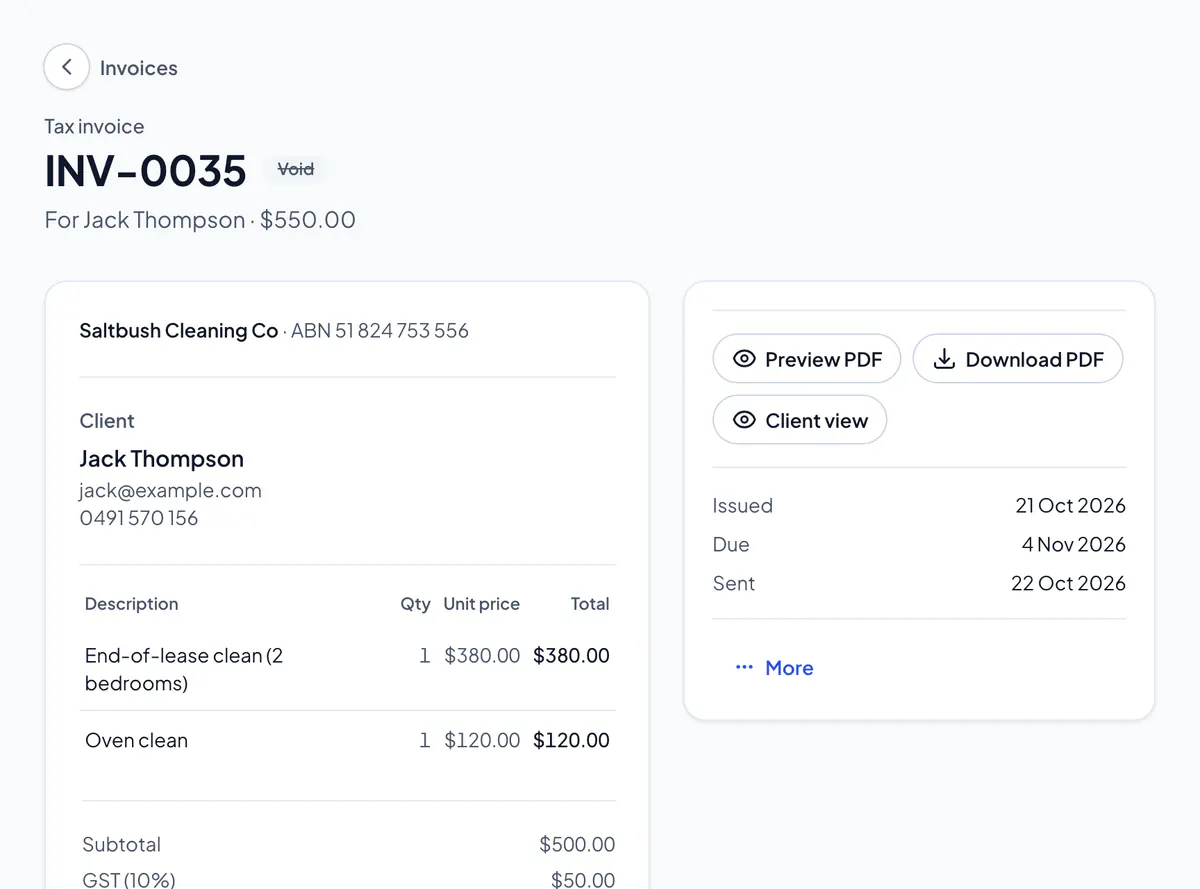
Step 3: The invoice says Void: your client can no longer pay it, and it stops counting as owed.
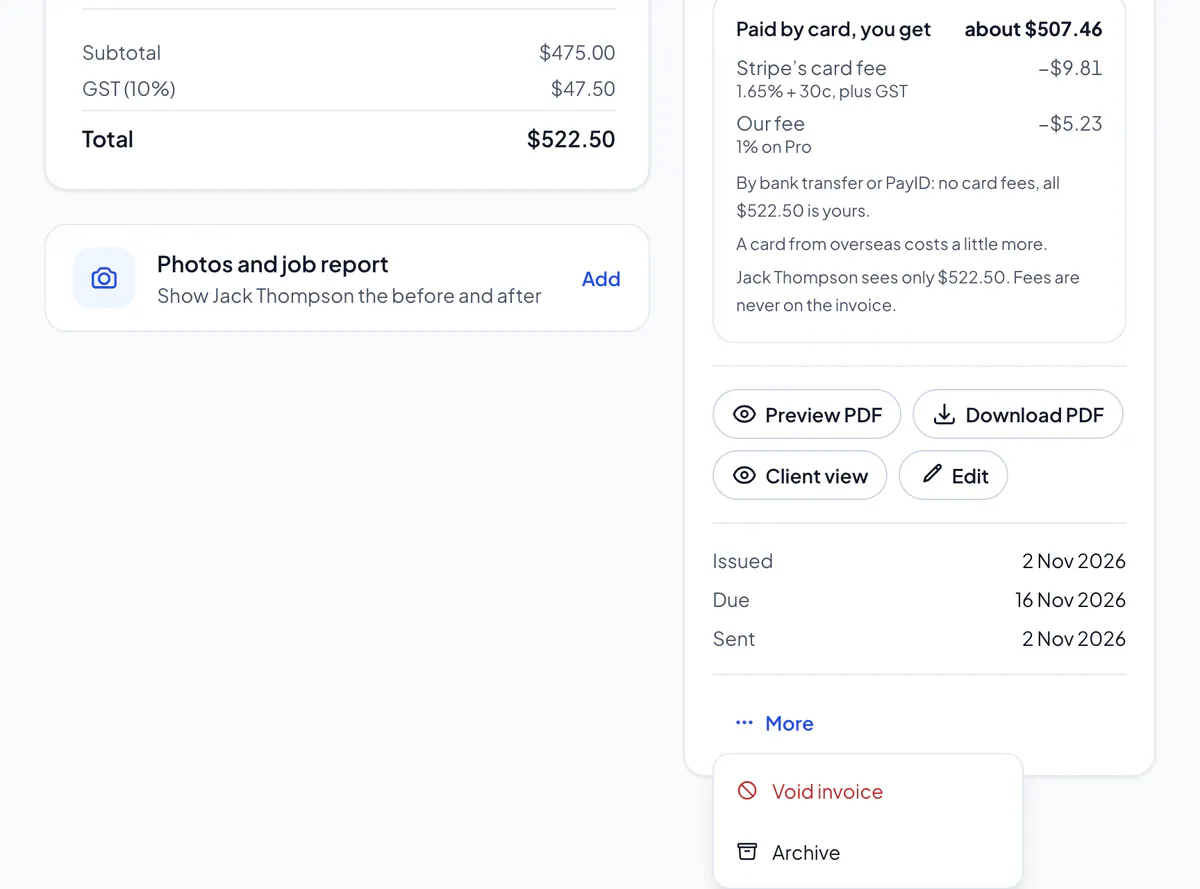
Step 1: Open the invoice and choose More, then Void invoice, and OK to confirm.
Step 2: The invoice says Void: your client can no longer pay it, and it stops counting as owed.
It can’t be undone. Only the owner and admins can void an invoice.
Never sent? Delete it instead. Paid? Give a refund or credit note. A quote is withdrawn, not voided: open it and choose Withdraw (on the website, under More).
Did this answer your question?
Related articles
Still stuck?
Email support@thetechcompanygroup.com and we’ll help, or see Support.