What do I do when a client sends proof of payment?
Check the money is in your bank first: anyone can make a proof of payment. Then open the invoice and mark it paid from there.
Step 1: Open the invoice: it says Proof sent, and shows what your client sent.
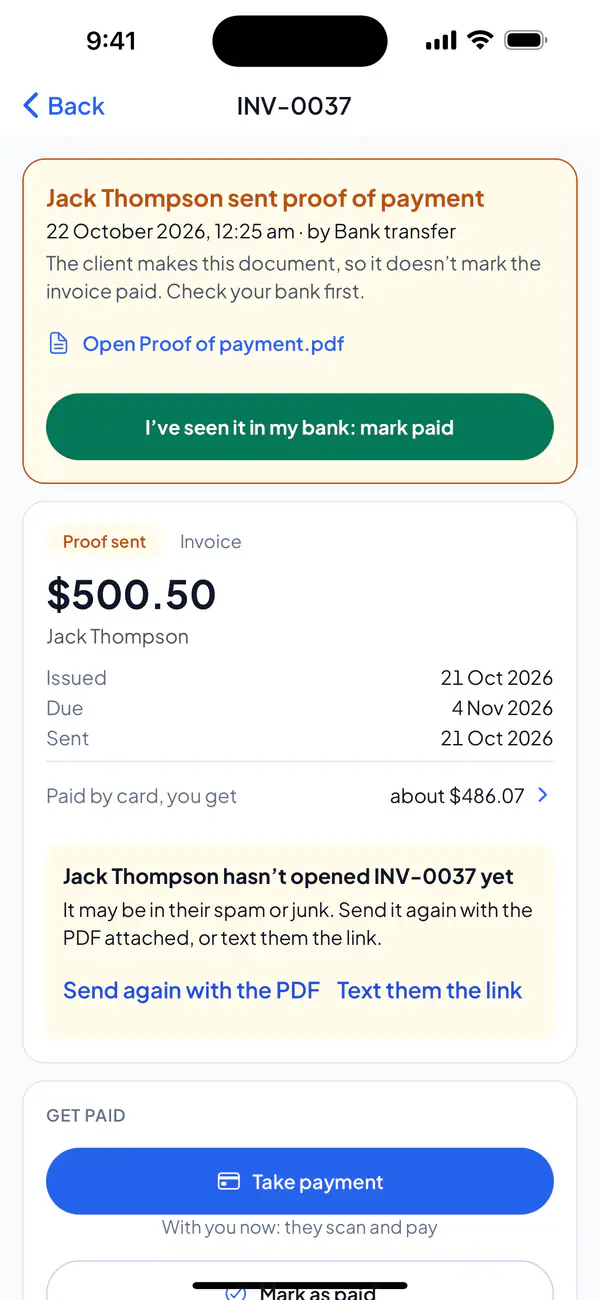
Step 2: Open the file to see it, and check the money is in your bank.
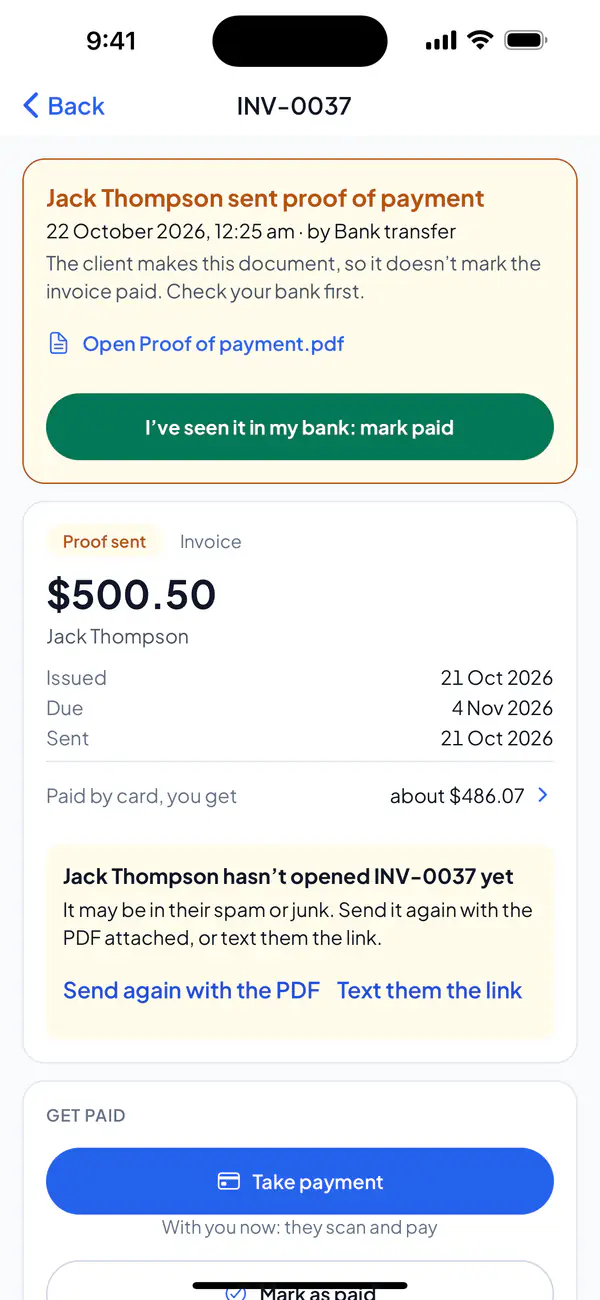
Step 3: Tap I’ve seen it in my bank: mark paid.
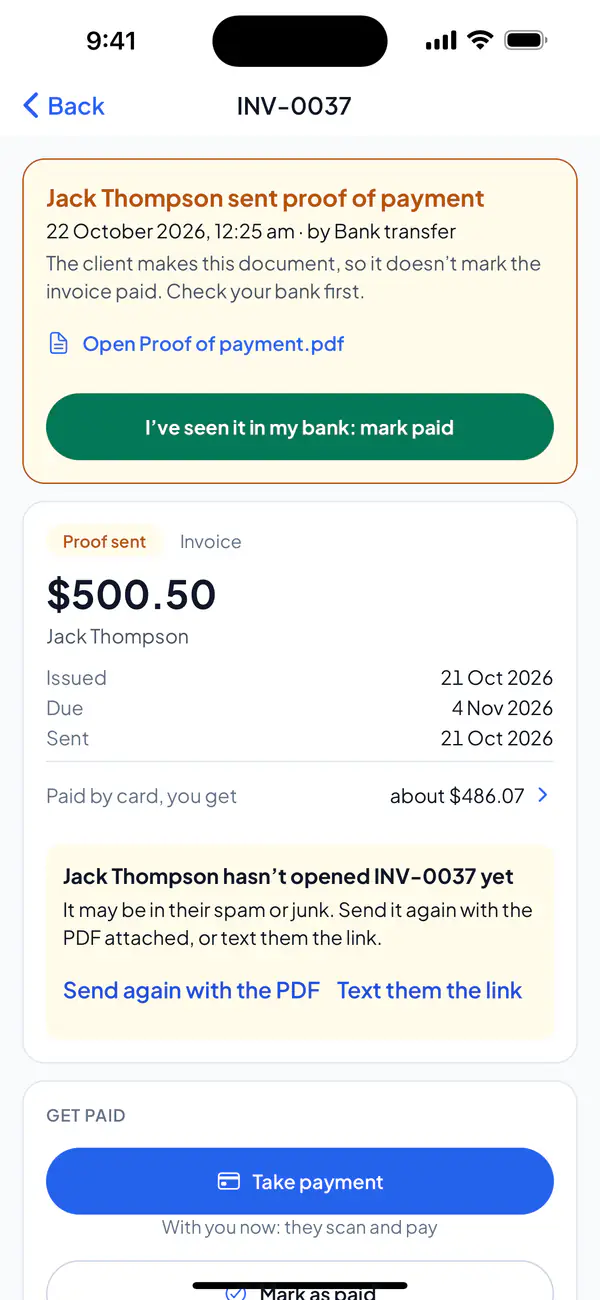
Step 4: If your client has an email address, choose Email receipt or No receipt.
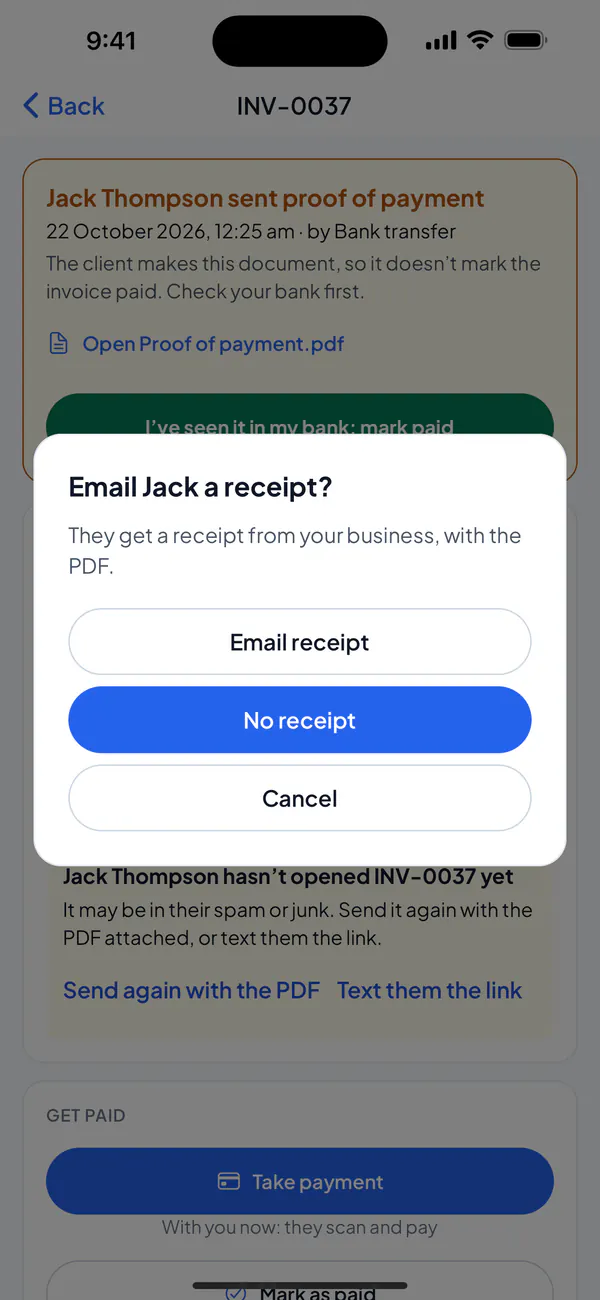
Step 1: Open the invoice: it says Proof sent, and shows what your client sent.
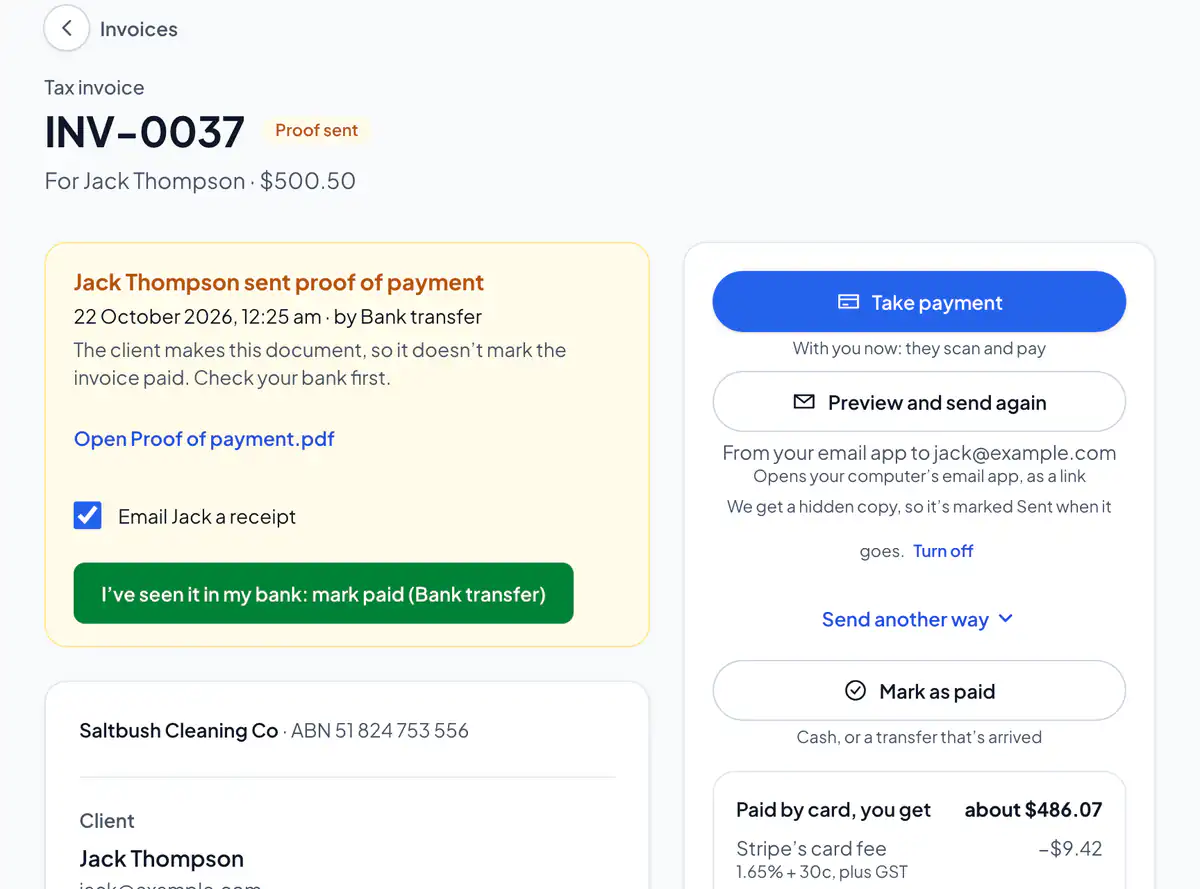
Step 2: Open the file, and check the money is in your bank.
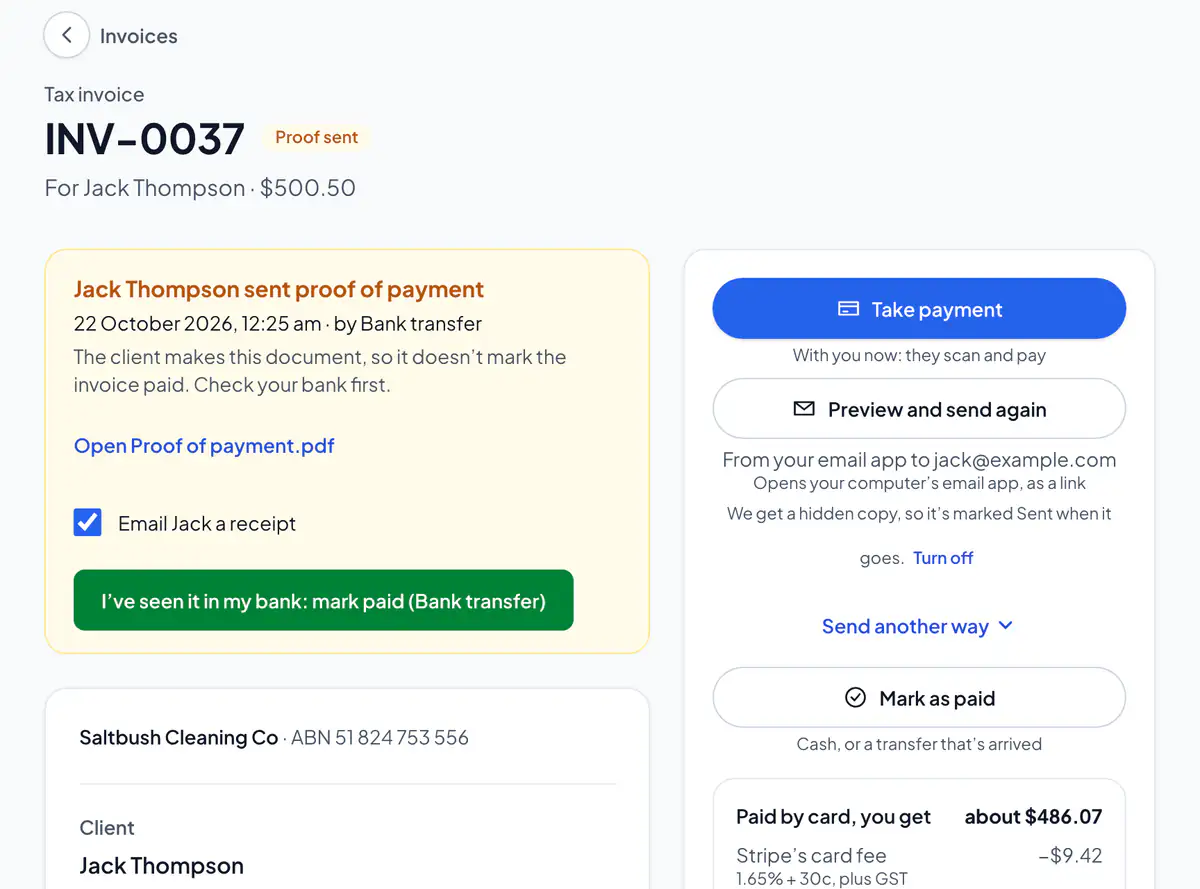
Step 3: Choose I’ve seen it in my bank: mark paid (it says how they paid). Leave “Email … a receipt” ticked to send your client one.
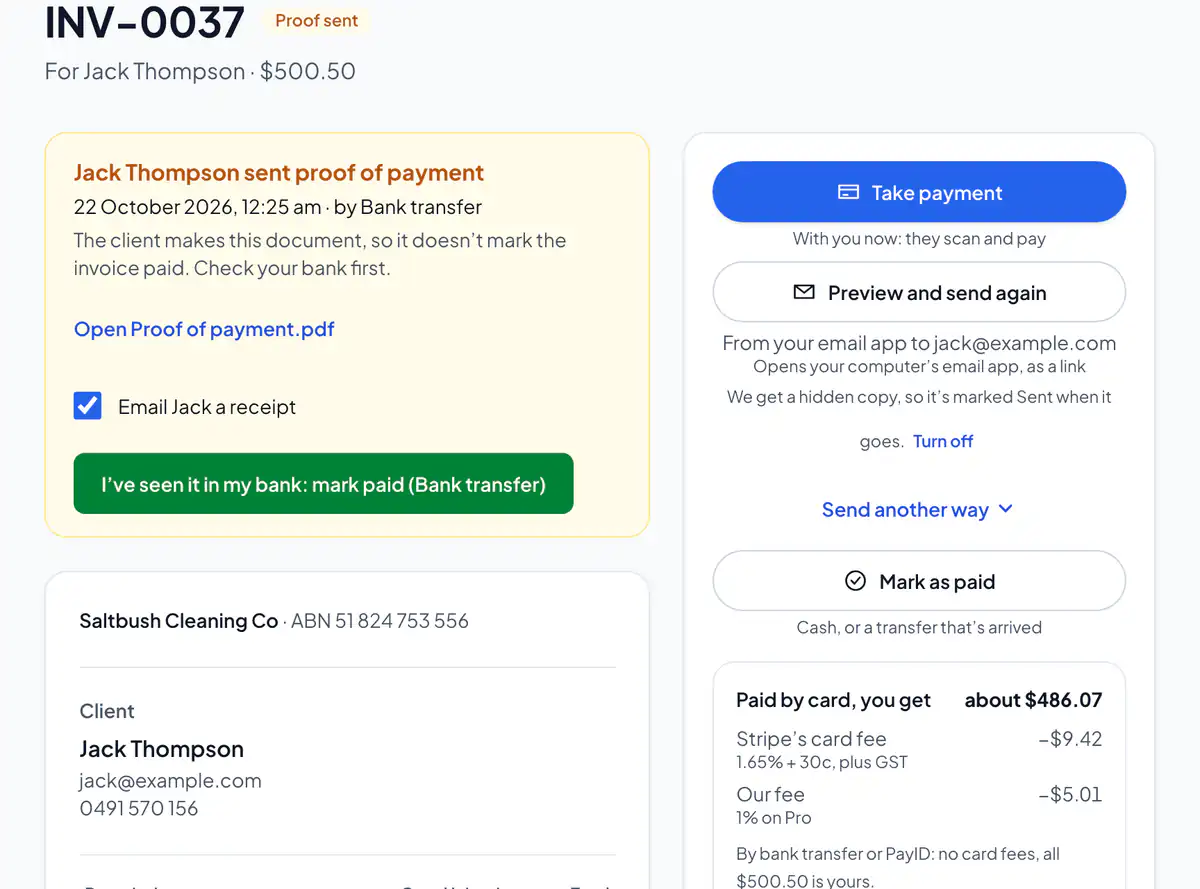
Clients who pay by PayID or bank transfer can send their bank’s proof from the invoice’s link, as a PDF or a photo. You get an email, and Home lists it under Needs attention.
It’s recorded the way your client said they paid. Only the owner and admins see proofs of payment.
Did this answer your question?
Related articles
Still stuck?
Email support@thetechcompanygroup.com and we’ll help, or see Support.