How do I match my bank statement?
Upload your bank statement, on your phone or the website: Bank match finds what its payments are for, and marks them paid.
Upload your bank statement, and Bank match finds which of your unpaid invoices and deposits each payment into your account is for, so you don’t have to mark them paid one by one.
First, download your statement from your bank’s app or website, as a CSV, Excel or PDF file. Several at once? Choose them all, or put them in a ZIP.
Step 1: In the app, go to Settings → Getting paid → Match bank payments, and choose Choose your statement. Pick the file from your phone.
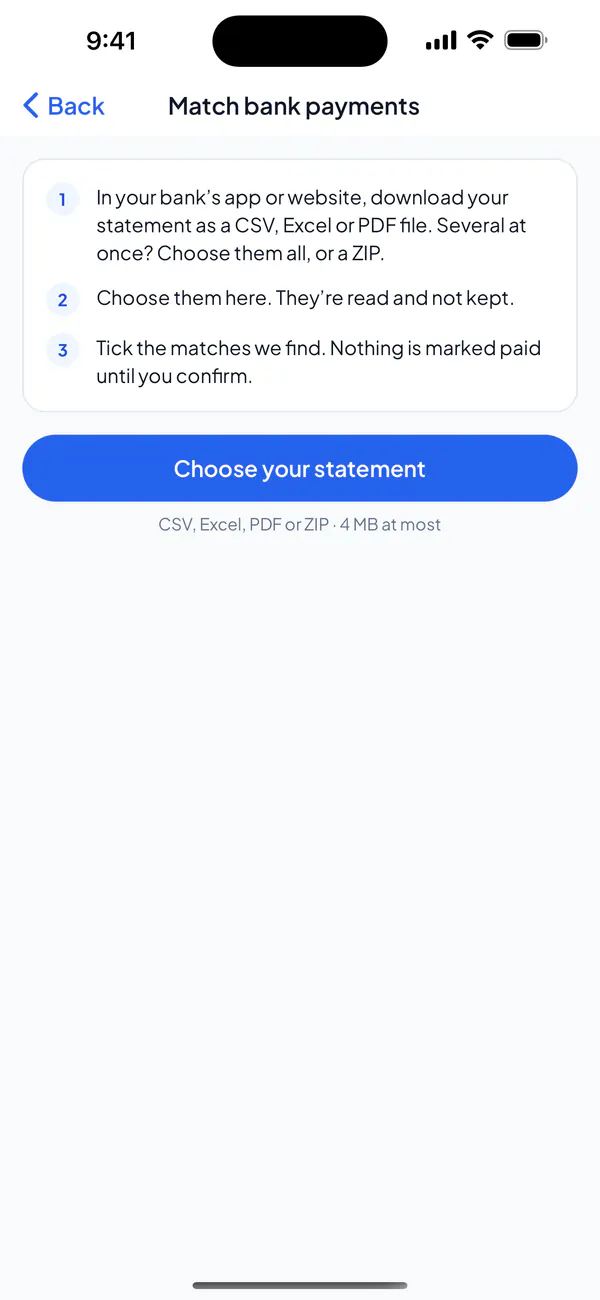
Step 2: Check the matches. Each says how sure it is; the certain ones are ticked for you.
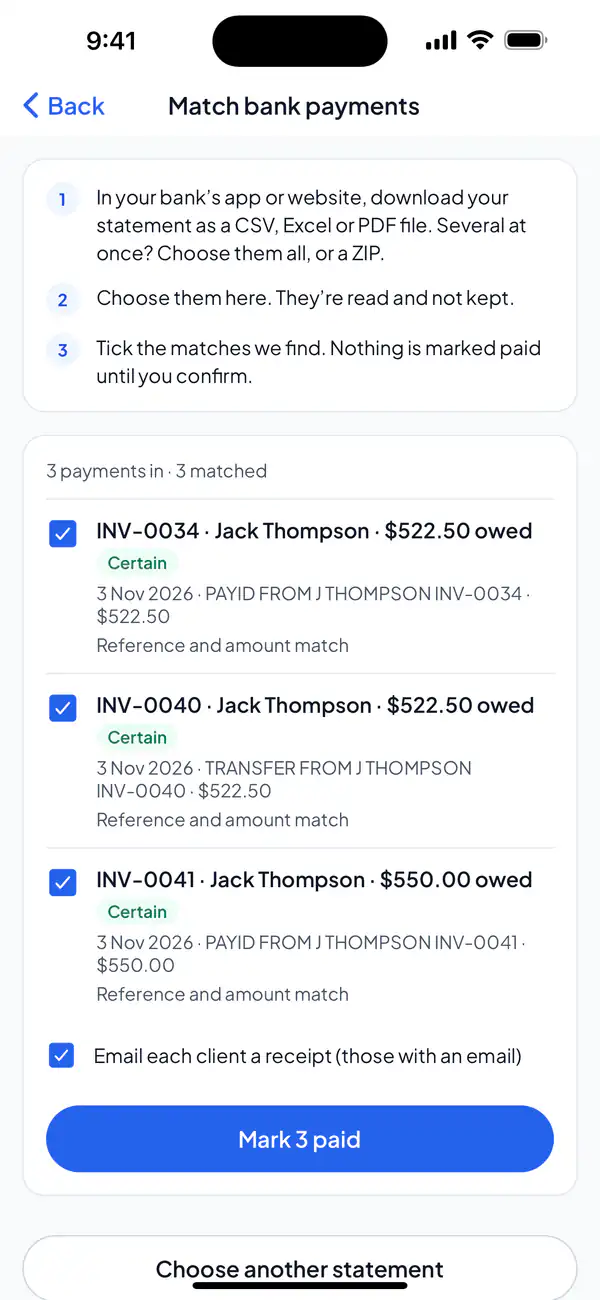
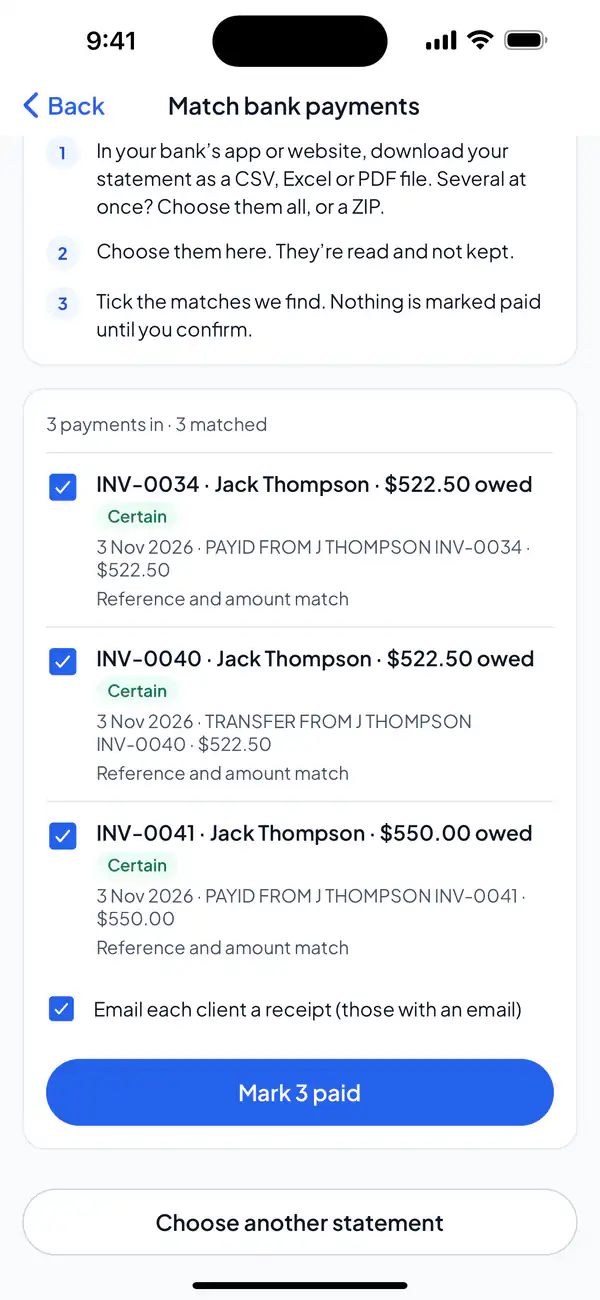
Step 3: Tick the ones that are right, and choose Mark paid (it counts them: Mark 3 paid). Leave “Email each client a receipt” ticked to send them one.
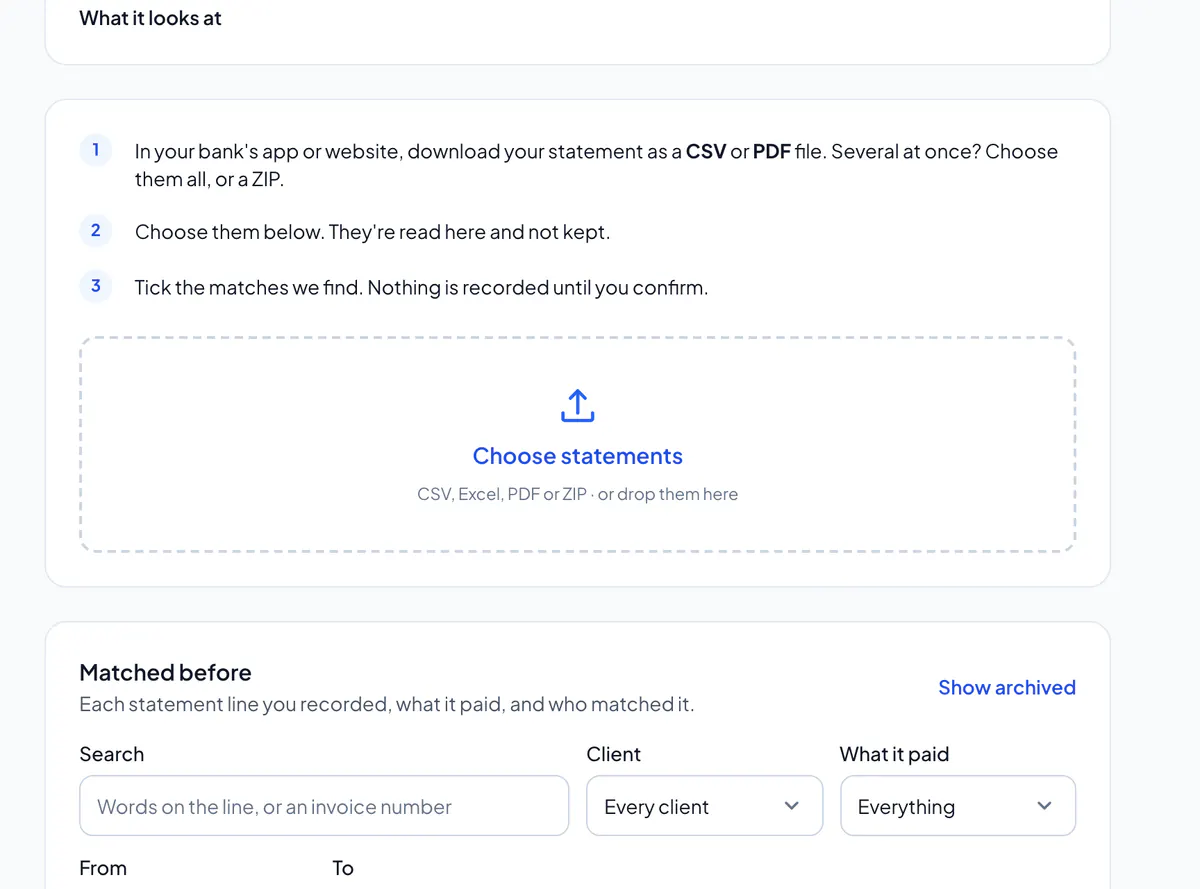
Step 1: On the website, open Bank match and choose Choose statements.
Step 2: Check the matches. Each says how sure it is; the certain ones are ticked for you.
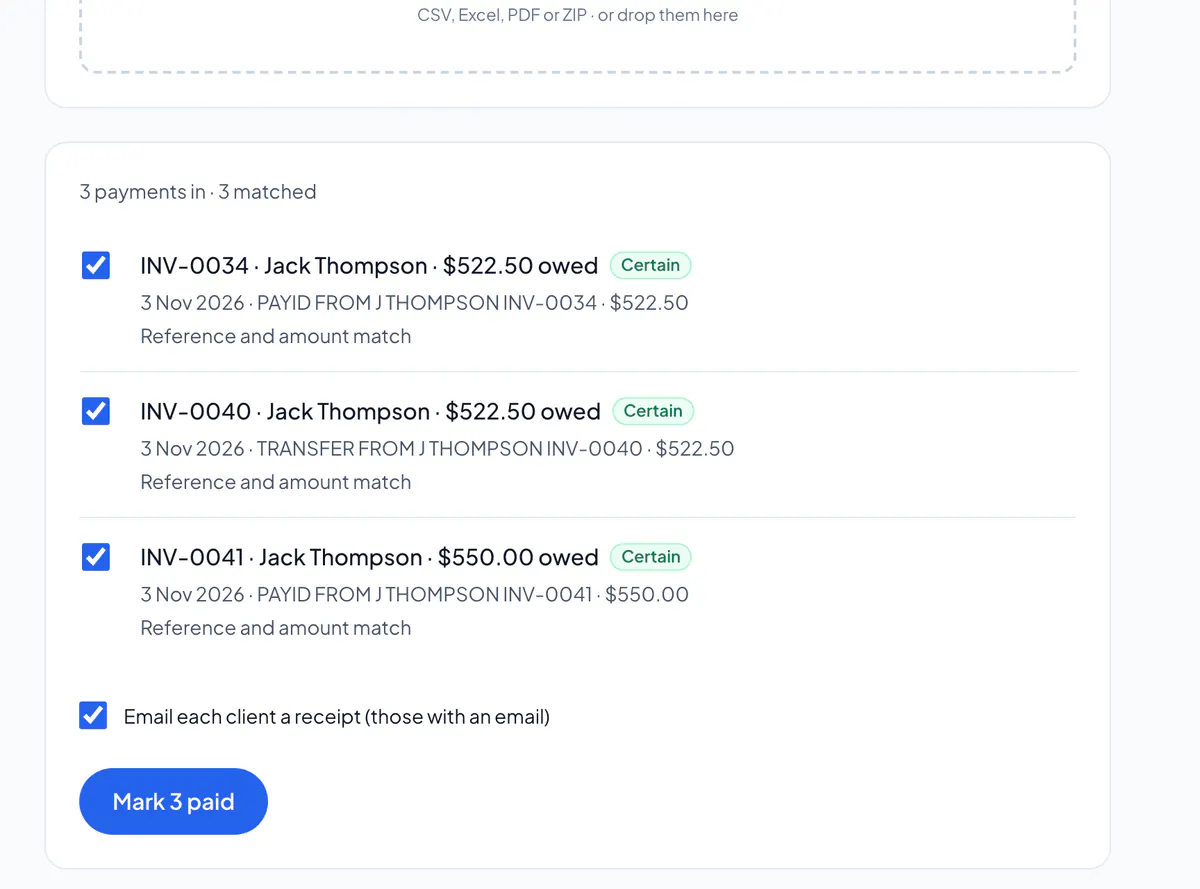
Step 3: Tick the ones that are right, and choose Mark paid (it counts them: Mark 3 paid). Leave “Email each client a receipt” ticked to send them one.
What it looks at
It looks at invoices you’ve sent that are still owed, and deposits on accepted quotes that aren’t paid yet. An invoice you’ve already marked paid is never matched again: the payment says so instead.
First, it checks the statement is for the account in Getting paid. If it names another account, it says so, with the last four digits of each: match it anyway, or choose another statement. If it doesn’t say which account it’s for, you’re asked once, and again if your bank details change.
What you’ll see
- Certain
- The payment names the invoice or quote, or you chose it yourself.
- Likely
- The amount and the client’s name match.
- Possible
- Only the amount matches: check who paid before you tick it.
- Part payment
- Less than the invoice was owed. It’s kept as a part payment, and the rest is still owed.
- Already marked paid
- It pays an invoice you marked paid yourself, so there’s nothing to record.
- Not matched
- Nothing open is for that amount. Assign it to an invoice or deposit yourself, on the website.
- Card payouts
- Money from your card payments, paid out together. Those invoices marked themselves paid.
Nothing is marked paid until you tick the matches and confirm.
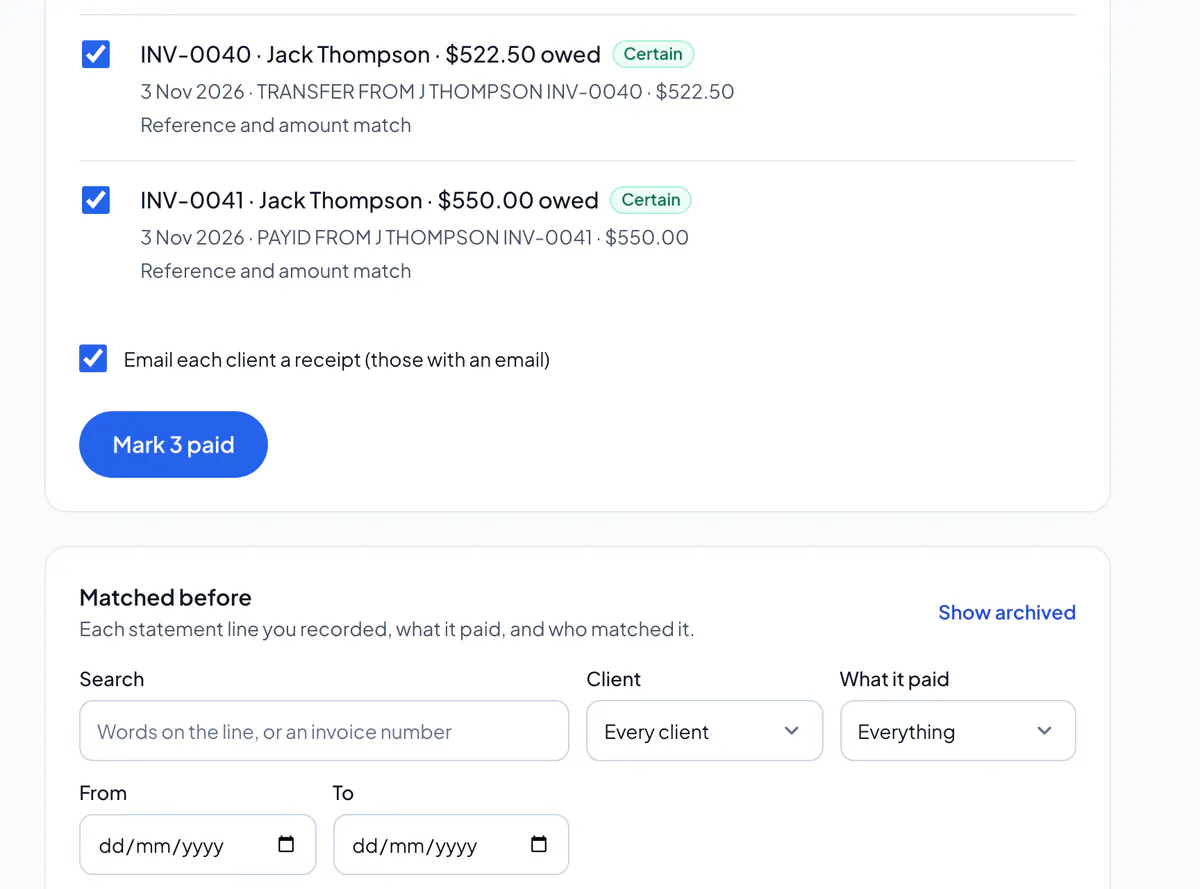
Matched before
On the website: every statement line you’ve recorded, what it paid and who matched it. Filter it by words or a number, a client, the dates, or what it paid:
- Everything
- Every statement line you’ve recorded.
- Paid
- A line that paid an invoice in full, or the last of what was owed.
- Part payments
- Less than the invoice was owed: the rest is still owed.
- Deposits
- A line that paid a quote’s deposit.
Archive lines to tidy the list. They stay recorded, so a statement uploaded again still says they’re already matched; Show archived brings them back.
Bank match is part of Pro, on your phone and the website, for the owner and admins. Paid by PayID or bank transfer one at a time? Mark the invoice paid instead.
Did this answer your question?
Related articles
Still stuck?
Email support@thetechcompanygroup.com and we’ll help, or see Support.