How do I take payment on the spot?
On the invoice, tap Take payment, then Scan to pay: your client scans a code and pays on their own phone, there and then.
Step 1: Open the unpaid invoice and tap Take payment.
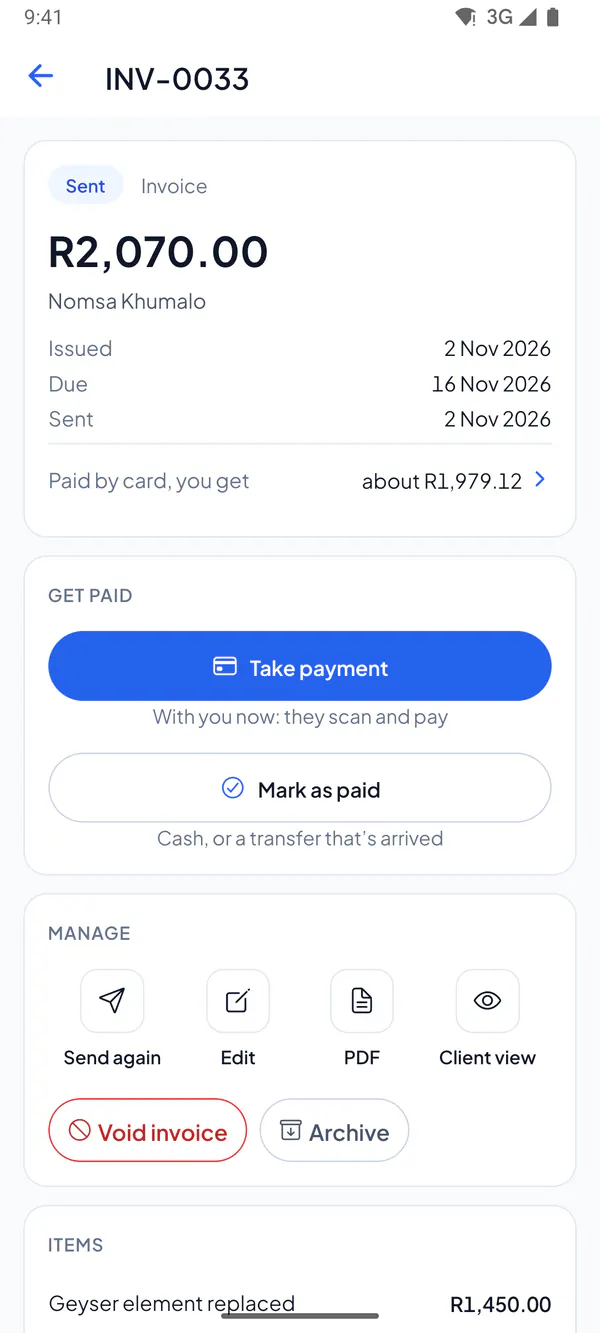
Step 2: Tap Scan to pay. Your client points their phone’s camera at the code and pays on their own phone.
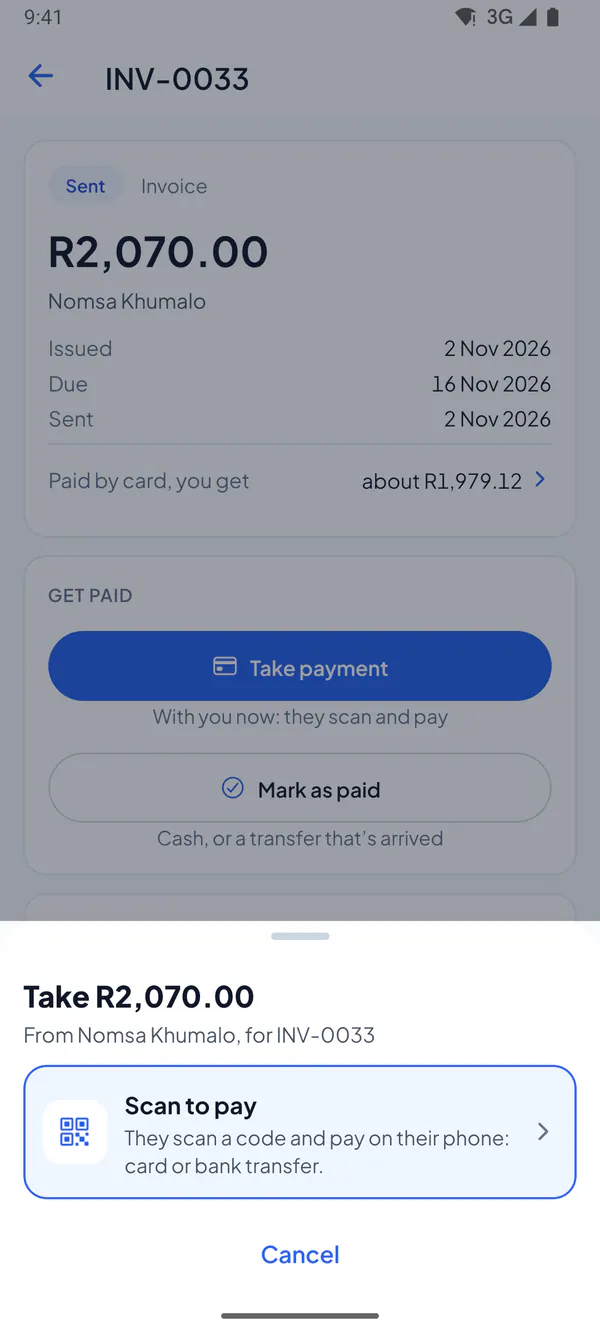
Step 3: No camera on their phone? Tap No camera? Hand them this phone, and they pay on yours.
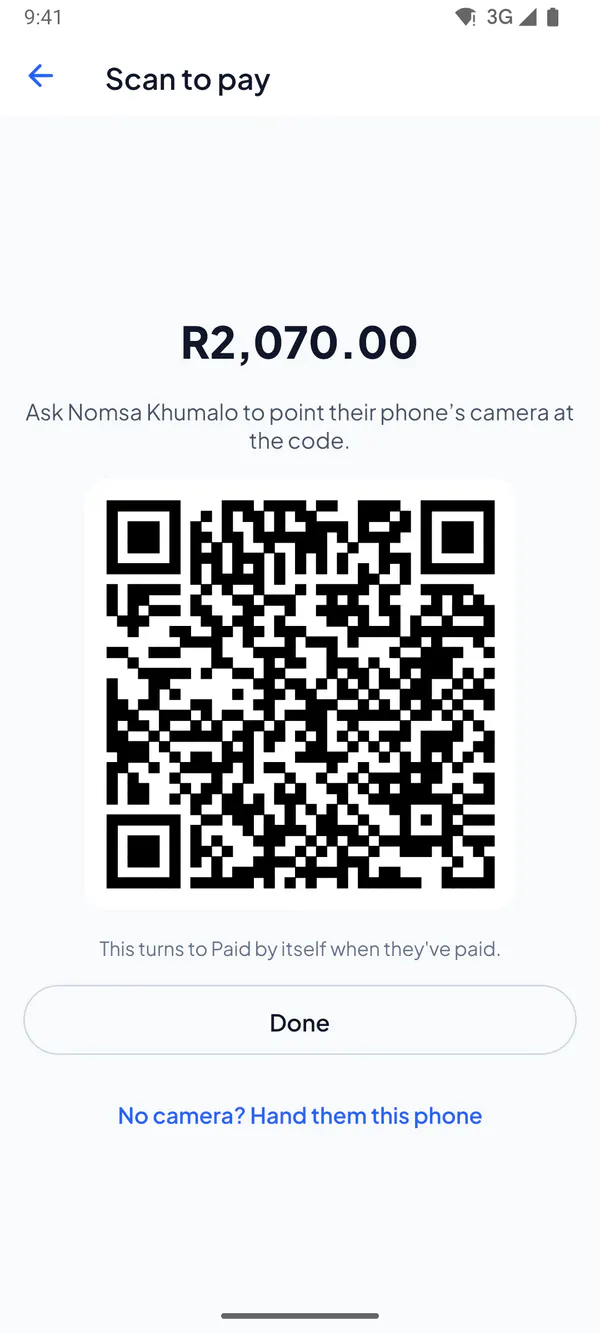
Step 1: Open the unpaid invoice and choose Take payment.
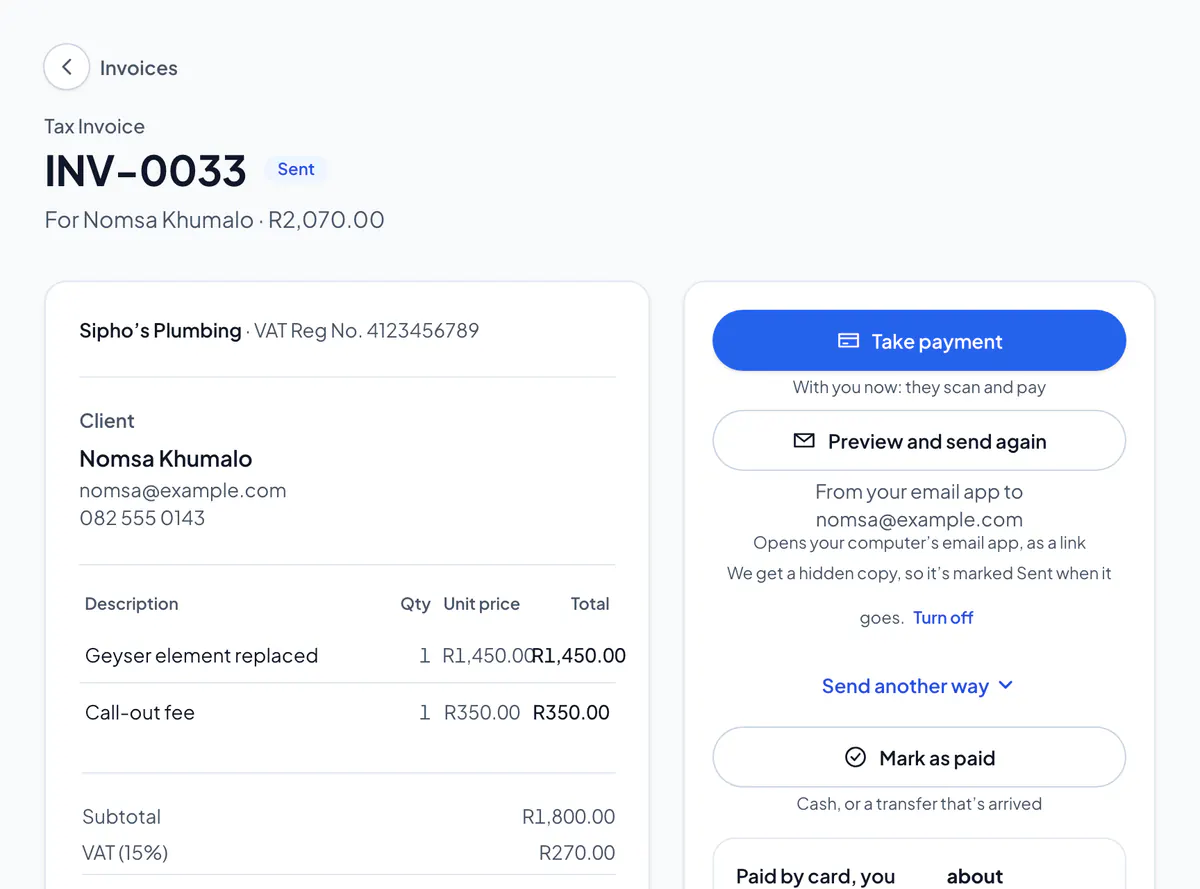
Step 2: Choose Scan to pay. Your client points their phone’s camera at the code and pays on their own phone.
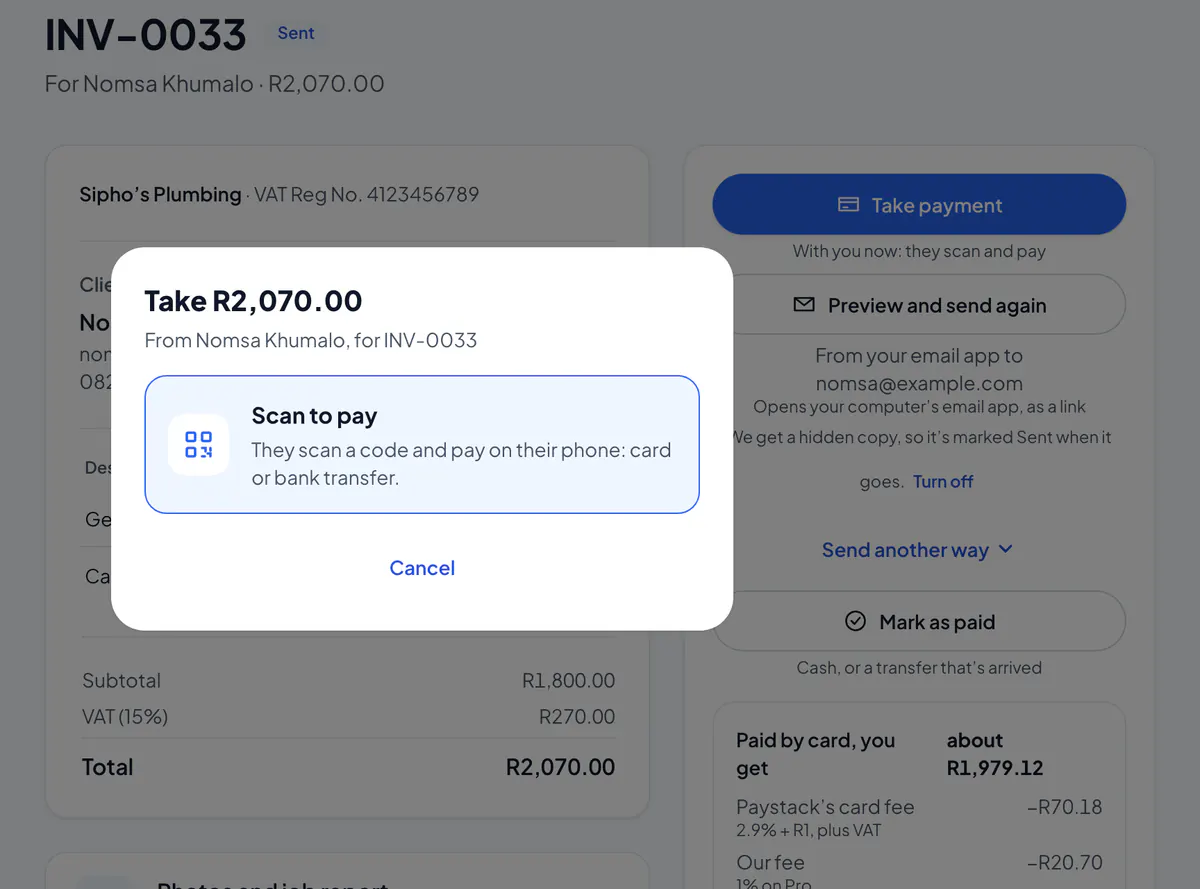
Step 3: No camera on their phone? Choose No camera? Hand them this screen, and they pay on your computer.
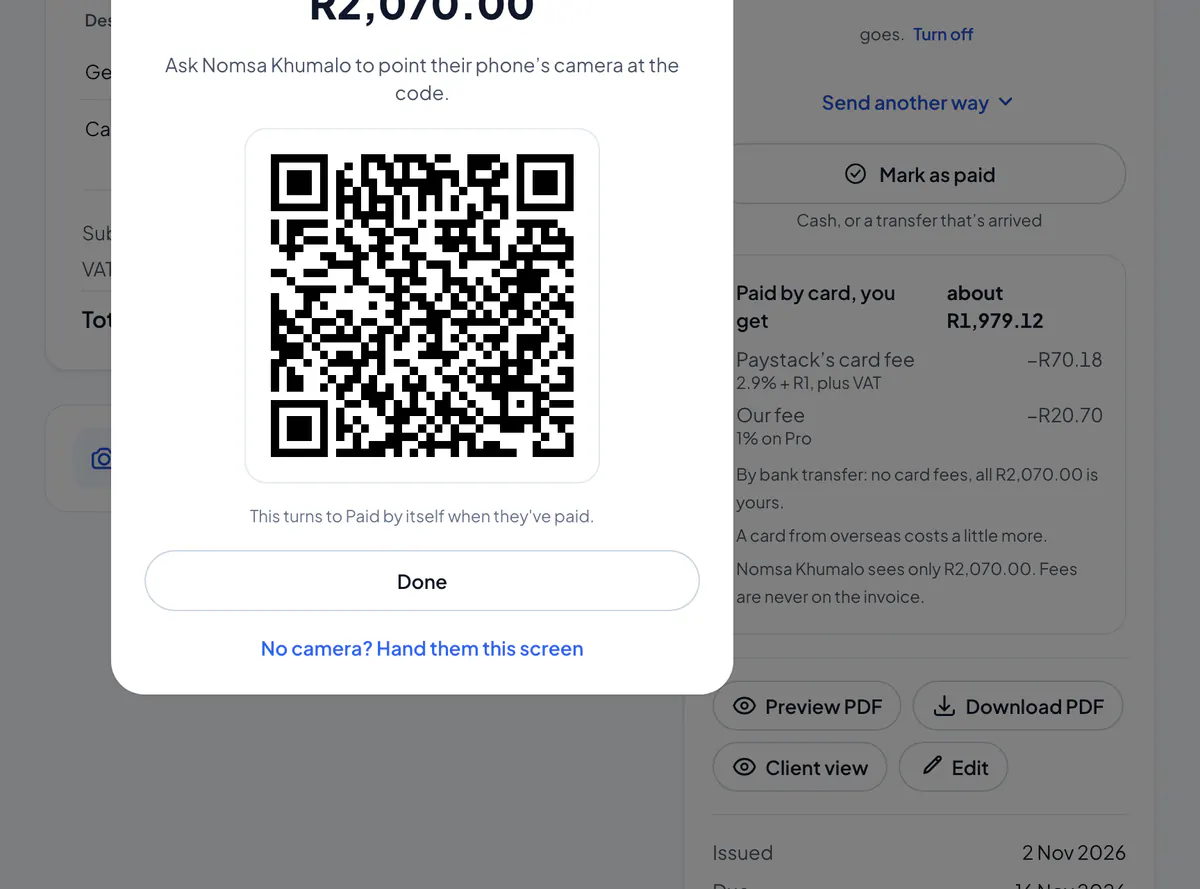
By card, the invoice marks itself paid. By PayShap or EFT, check your bank, then mark it paid.
No client on the invoice? You’re asked who’s paying first: pick a client, add one, or choose Walk-in customer. Over R5,000, a tax invoice needs the client’s details, so pick or add them.
Take payment also shows your PayShap and the invoice number, big enough to read out, with Send on WhatsApp to send them.
Take payment is there once your clients have a way to pay: card payments, your bank details, cash or a scan-to-pay link. Already paid? Tap Mark as paid instead.
Did this answer your question?
Related articles
Still stuck?
Email support@thetechcompanygroup.com and we’ll help, or see Support.