How do I turn a quote into an invoice?
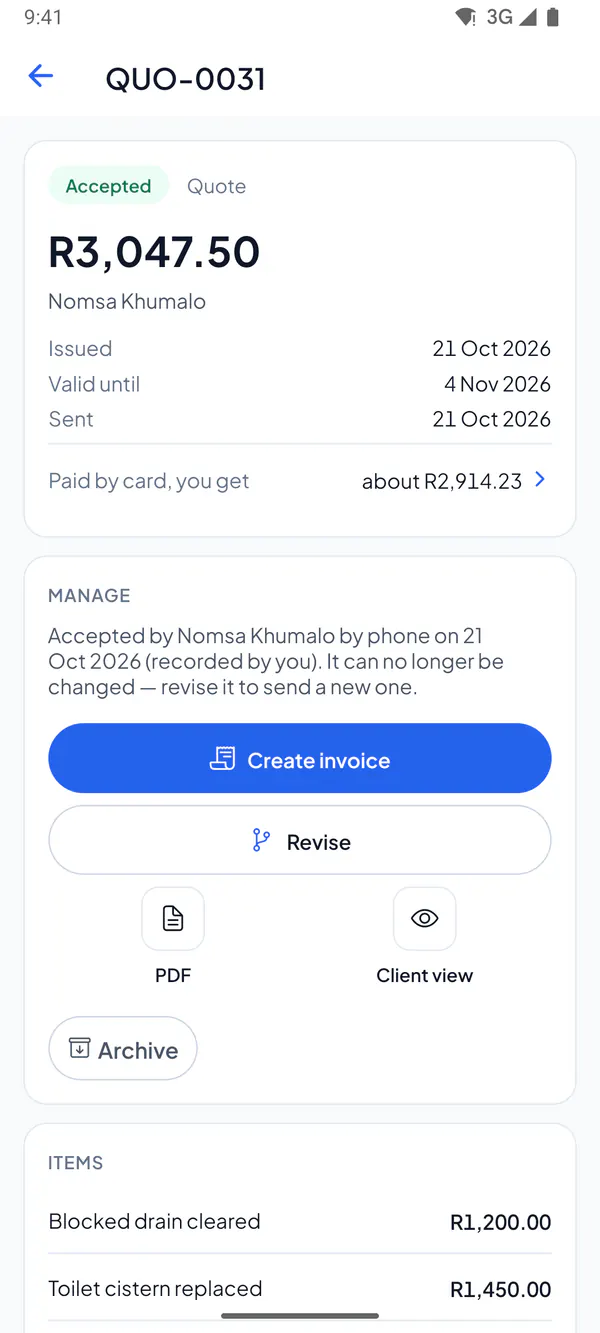
Once your client accepts the quote, open it and choose Create invoice. It copies the quote, less any deposit they’ve paid.
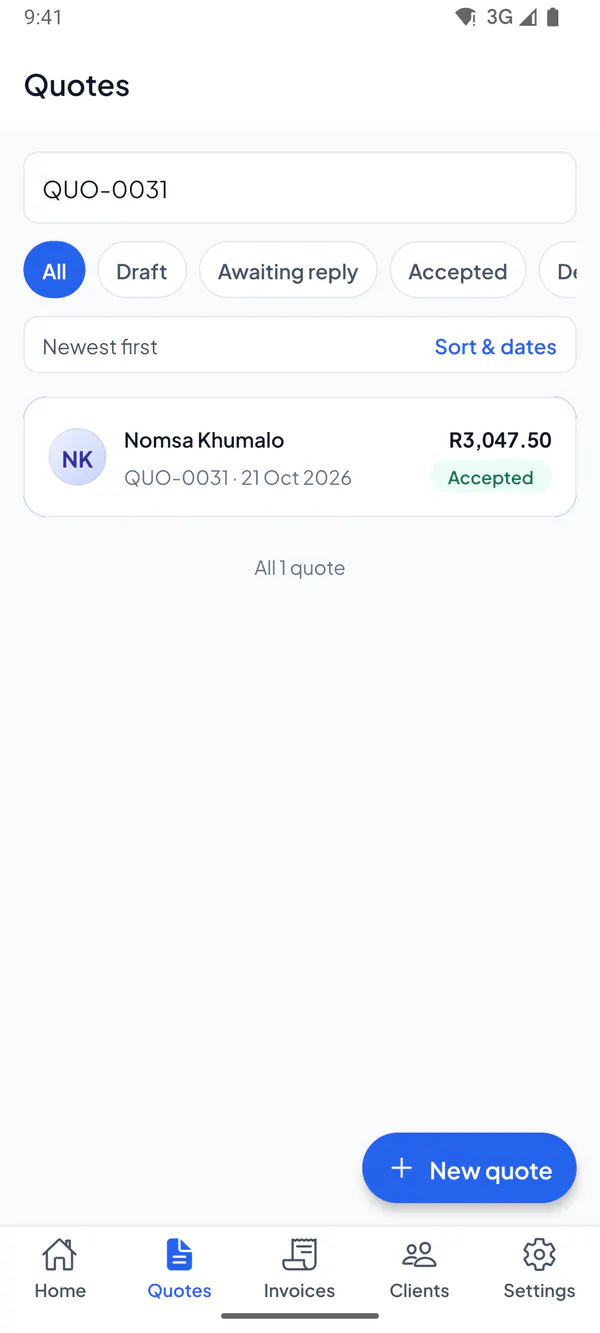
Step 1: Open the quote your client accepted.
Step 2: Tap Create invoice.
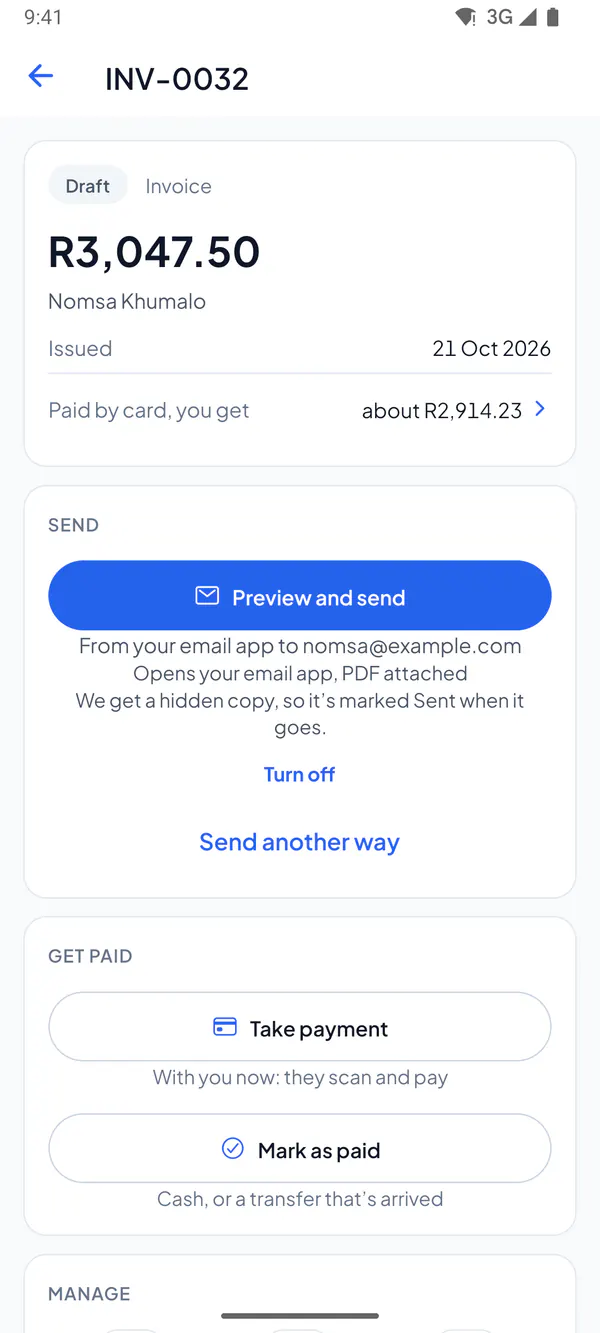
Step 3: The invoice opens, ready to send.
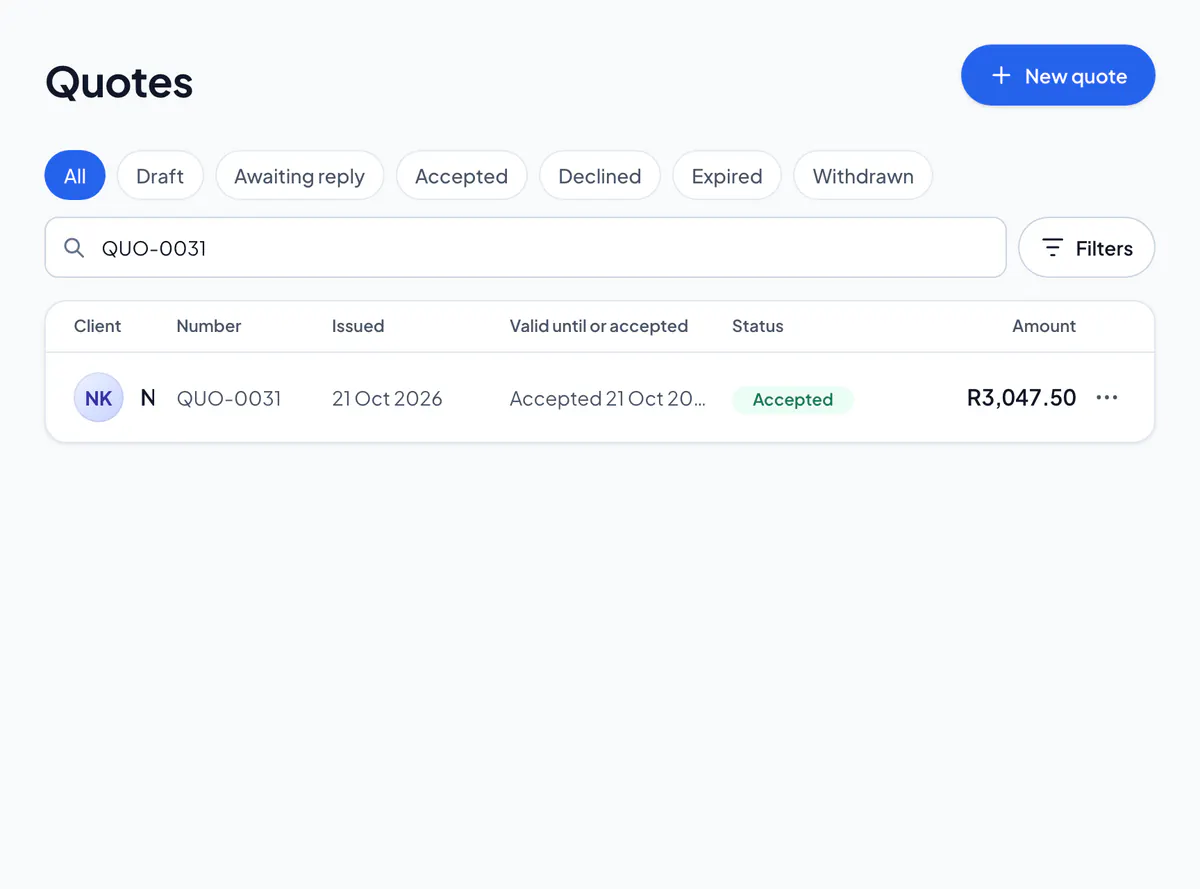
Step 1: Open the quote your client accepted.
Step 2: Choose Create invoice.
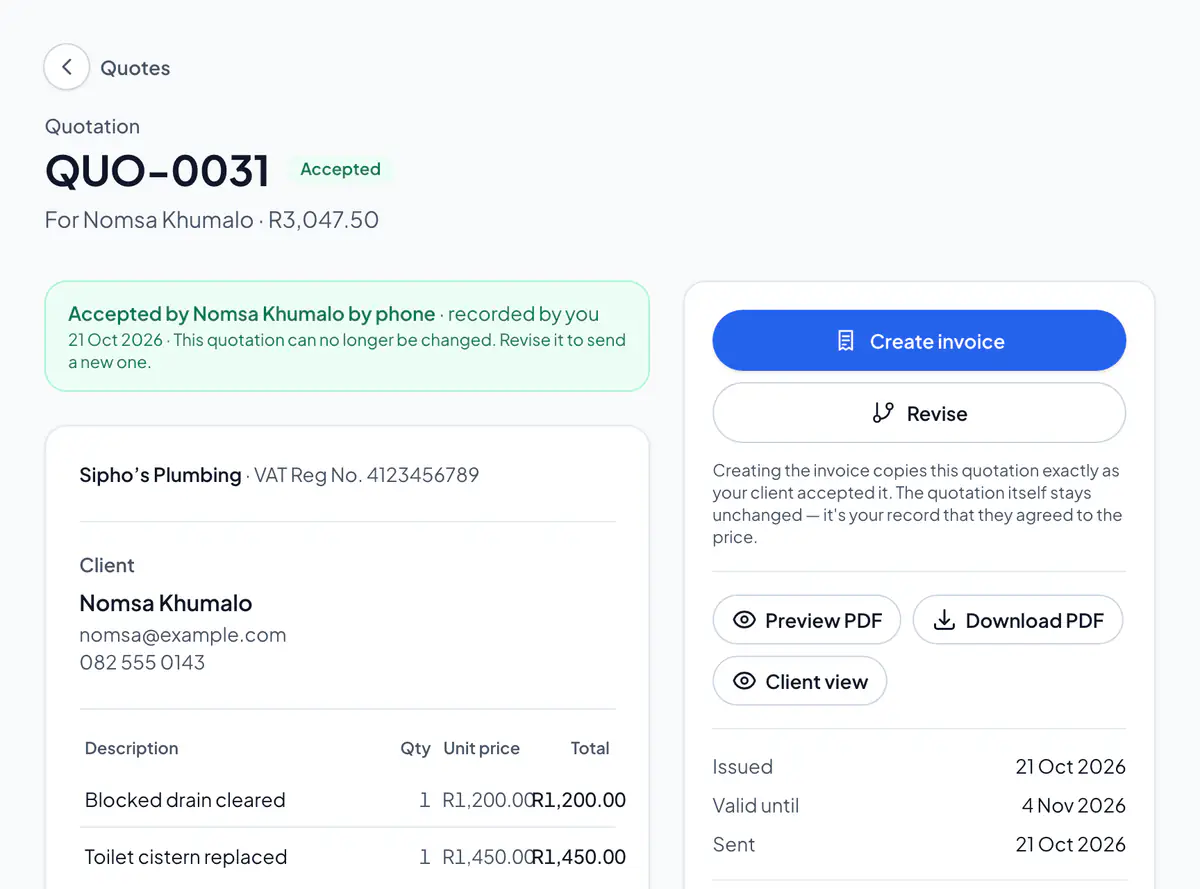
Step 3: The invoice opens, ready to send.
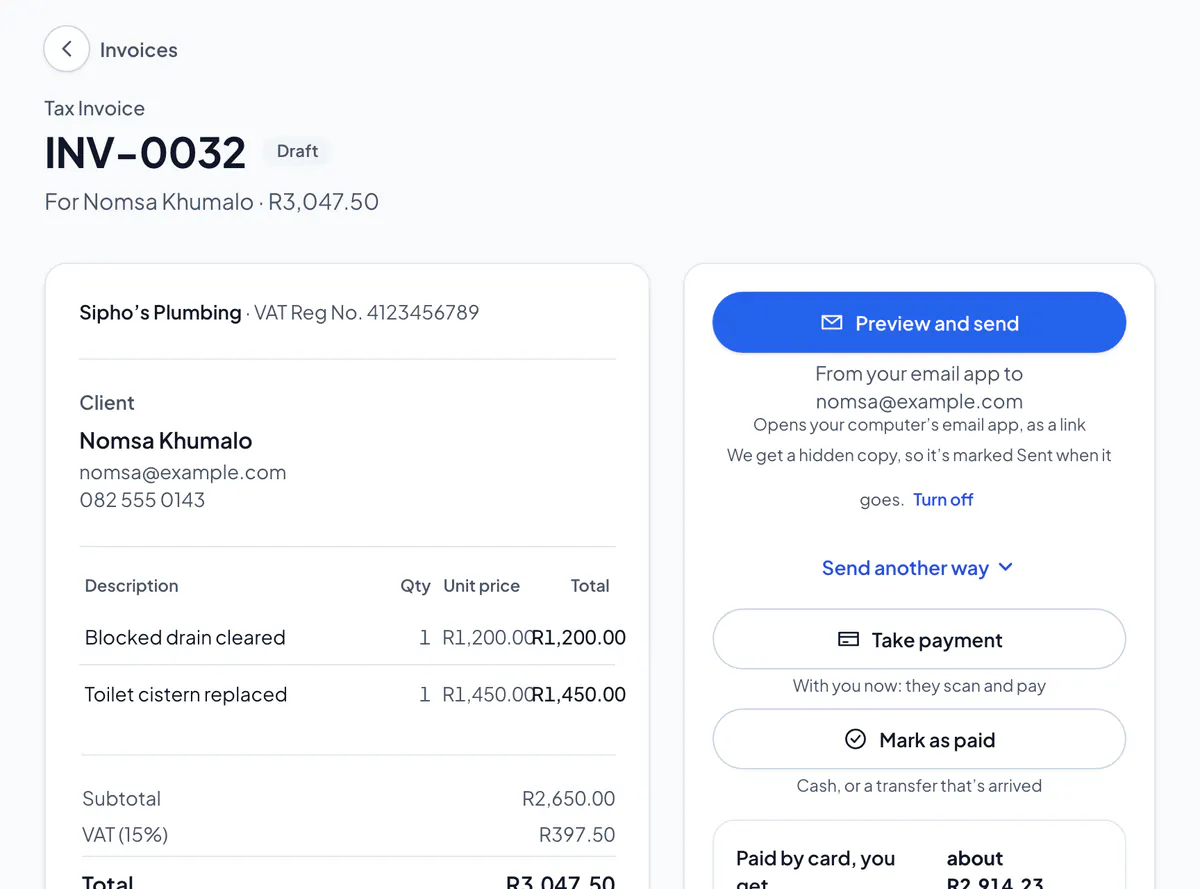
The quote then says Invoiced: on the app, View invoice opens the invoice; on the website, choose view the invoice. Need to add work? Edit the invoice before you send it: it says so if it’s more than was agreed.
Not accepted yet? Send the quote first, or choose Mark as accepted for a yes in person or on the phone.
Did this answer your question?
Related articles
Still stuck?
Email support@thetechcompanygroup.com and we’ll help, or see Support.