How do I mark an invoice paid?
Open the invoice, choose Mark as paid and say how your client paid: cash, EFT, PayShap or your own card machine.
Step 1: On Invoices, tap the invoice your client paid.
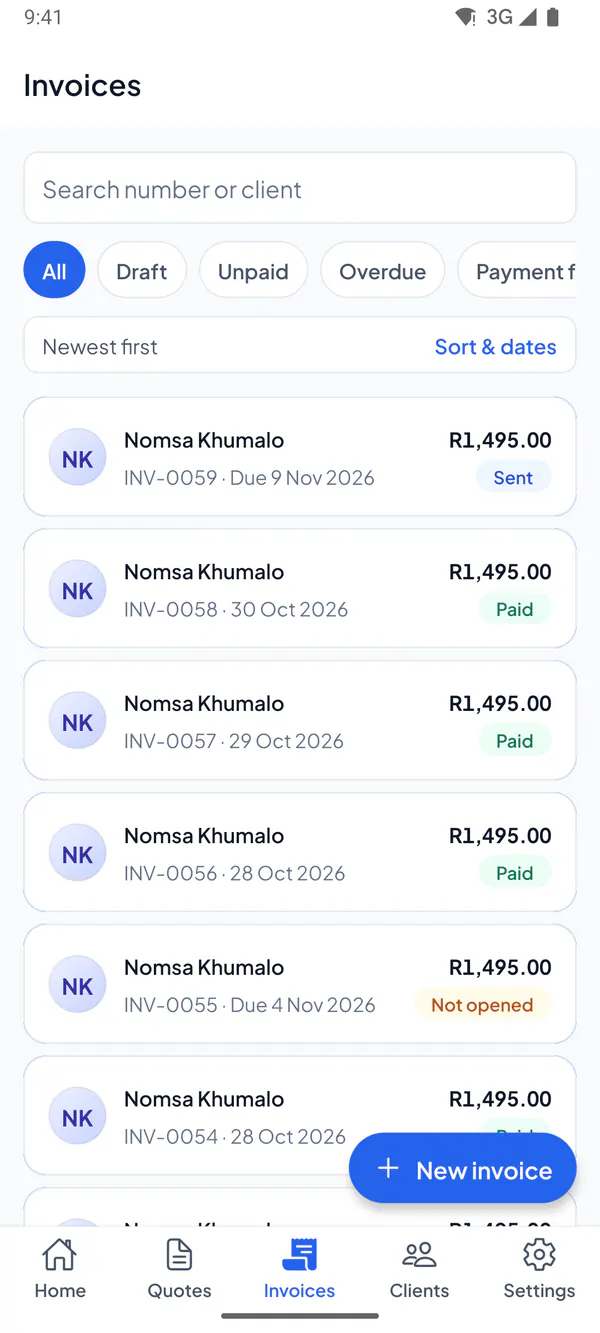
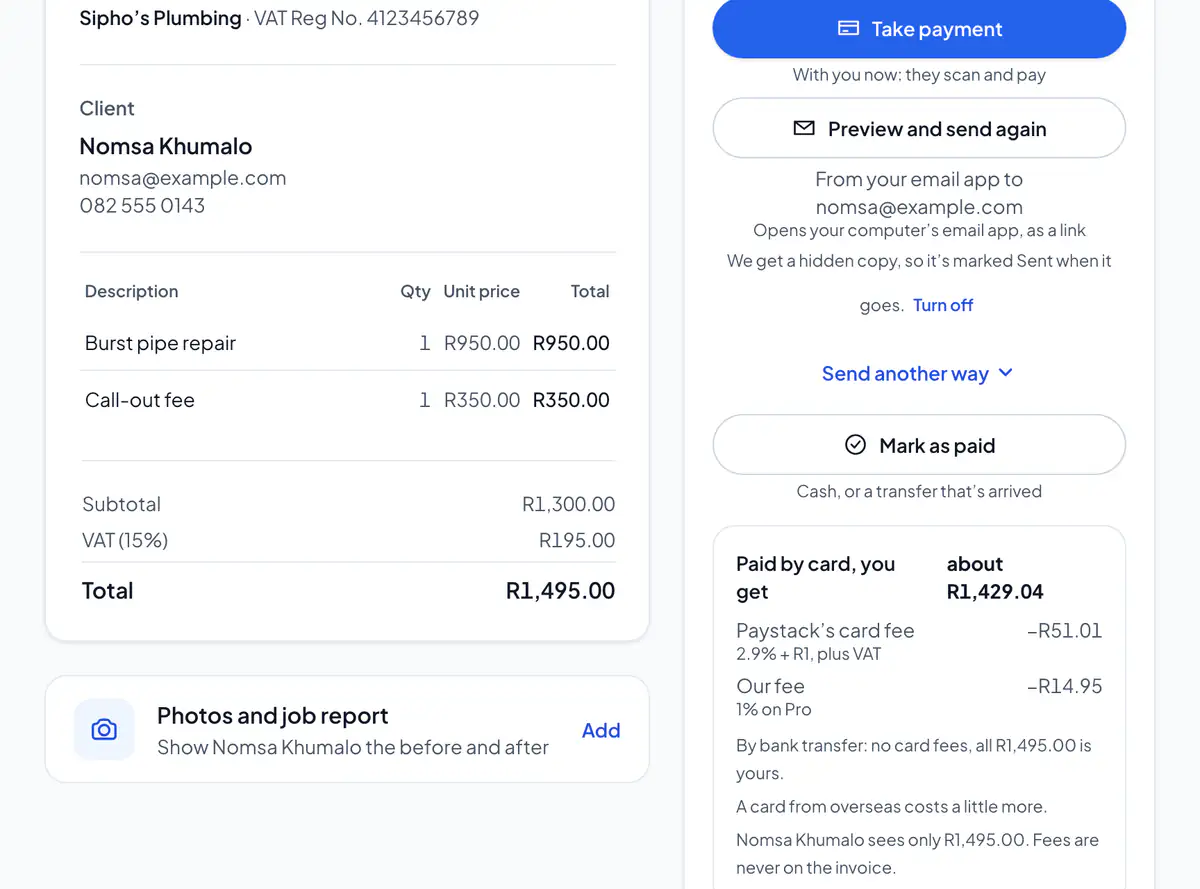
Step 2: Tap Mark as paid.
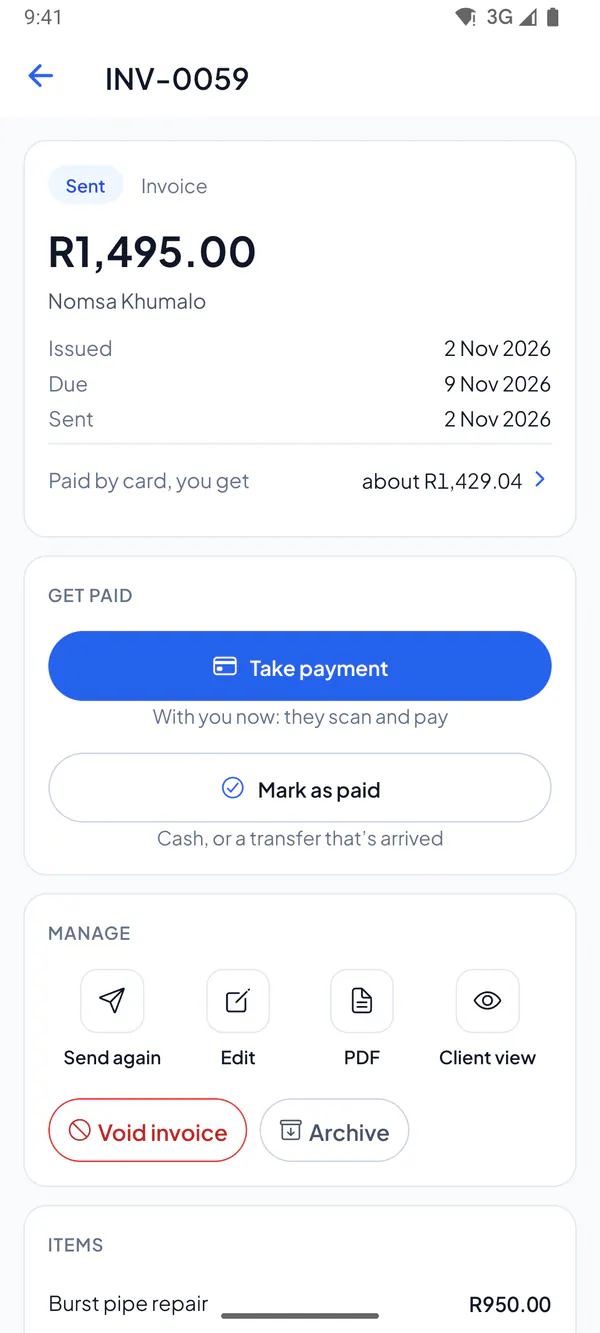
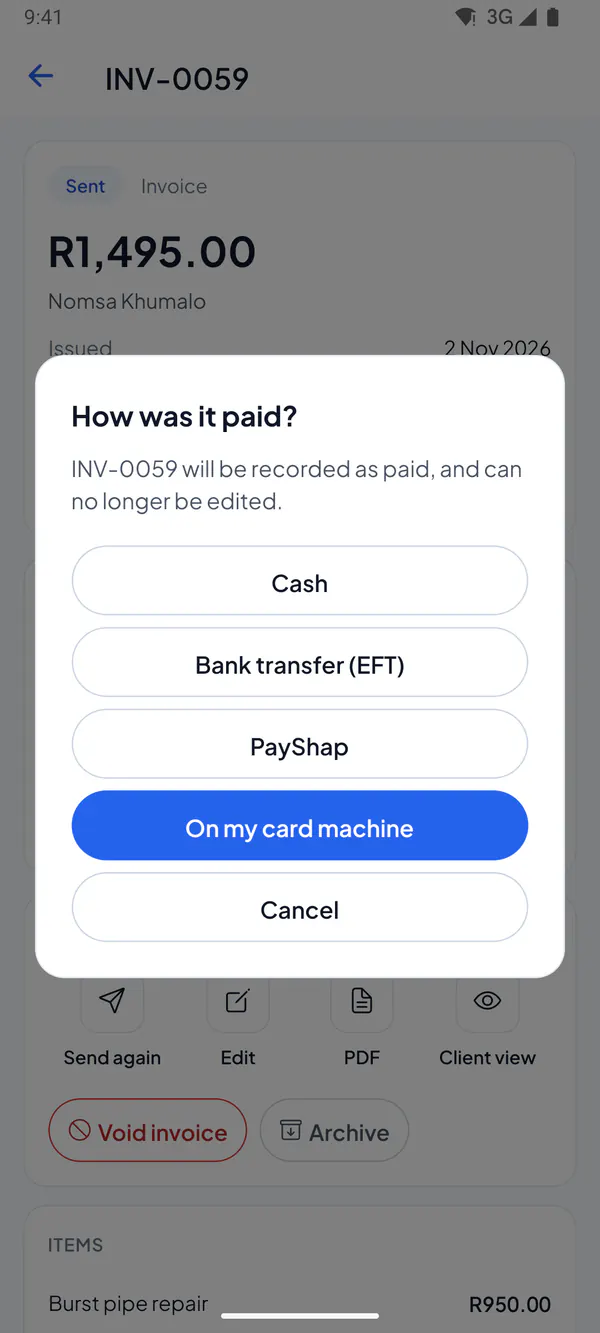
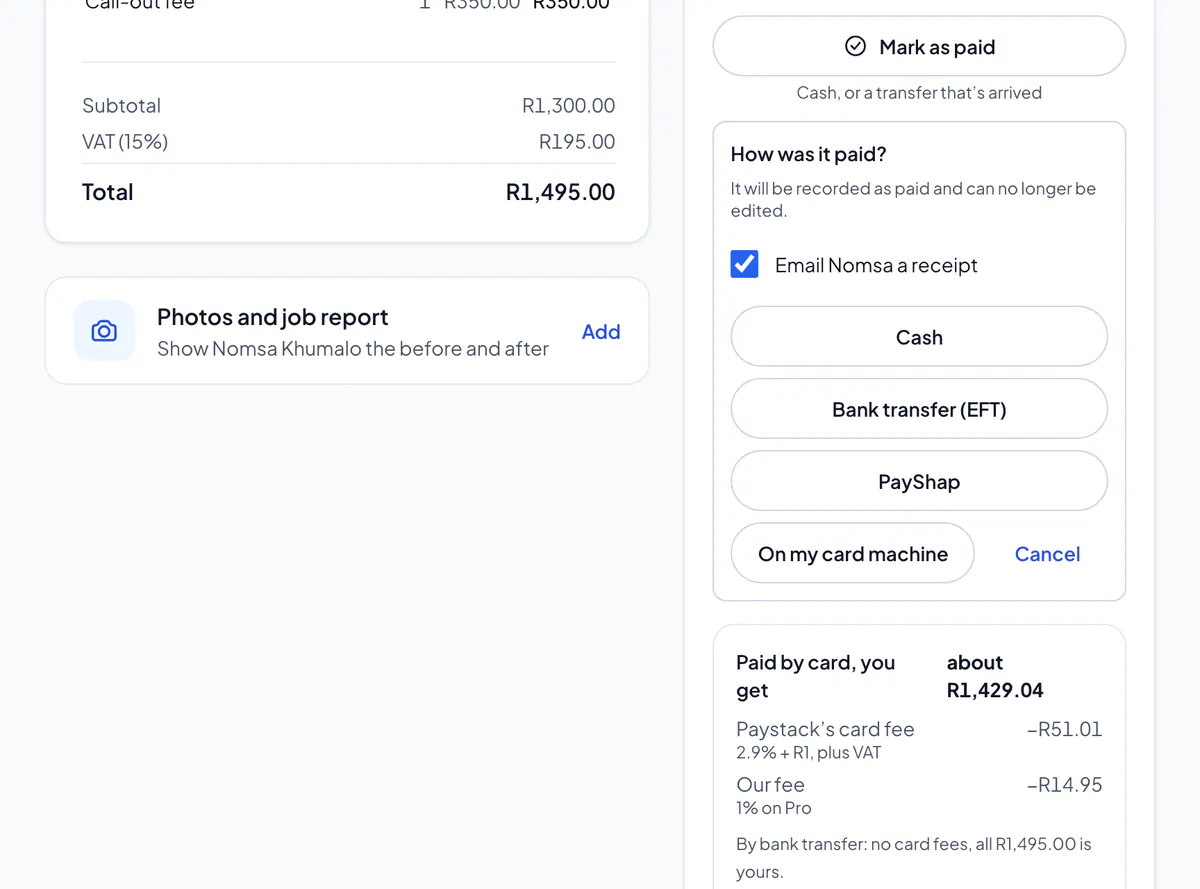
Step 3: Choose how they paid: Cash, Bank transfer (EFT), PayShap or On my card machine.
Step 4: If your client has an email address, choose Email receipt to send them a receipt from your business, with the PDF. Or choose No receipt.
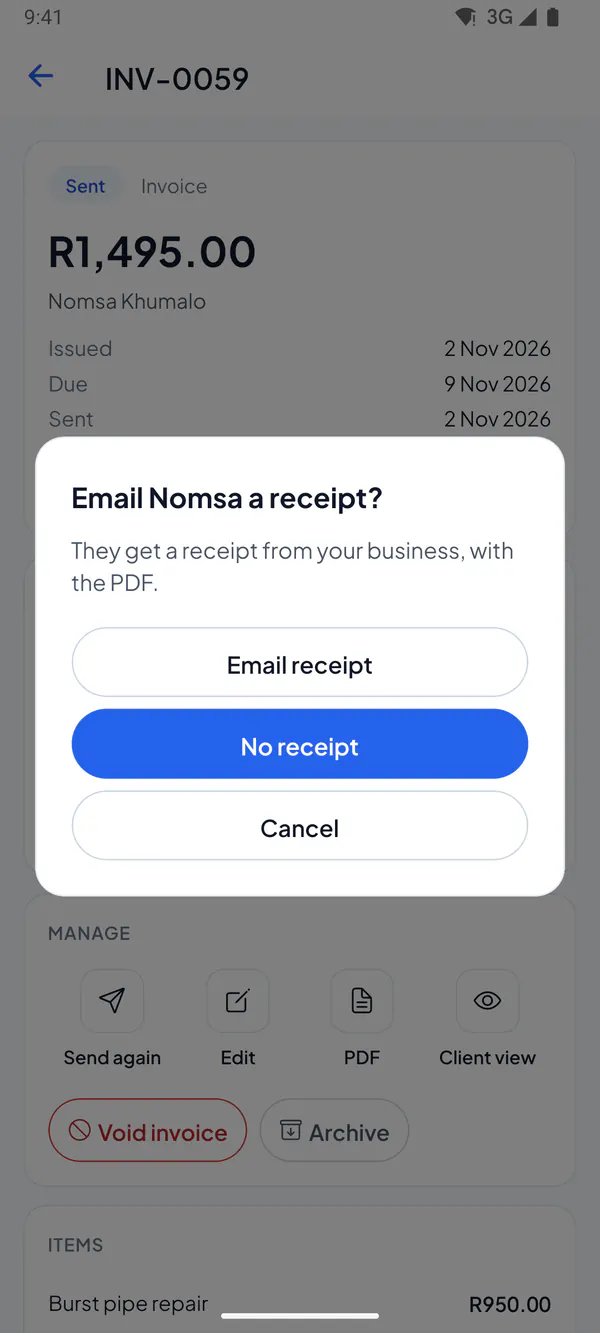
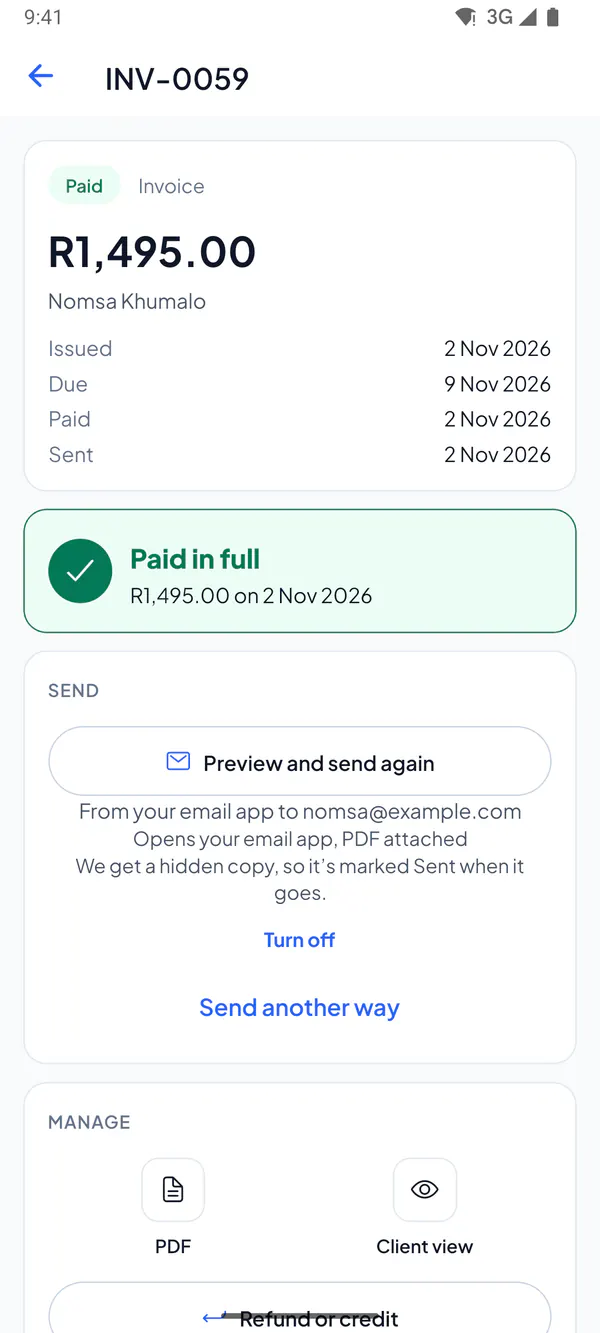
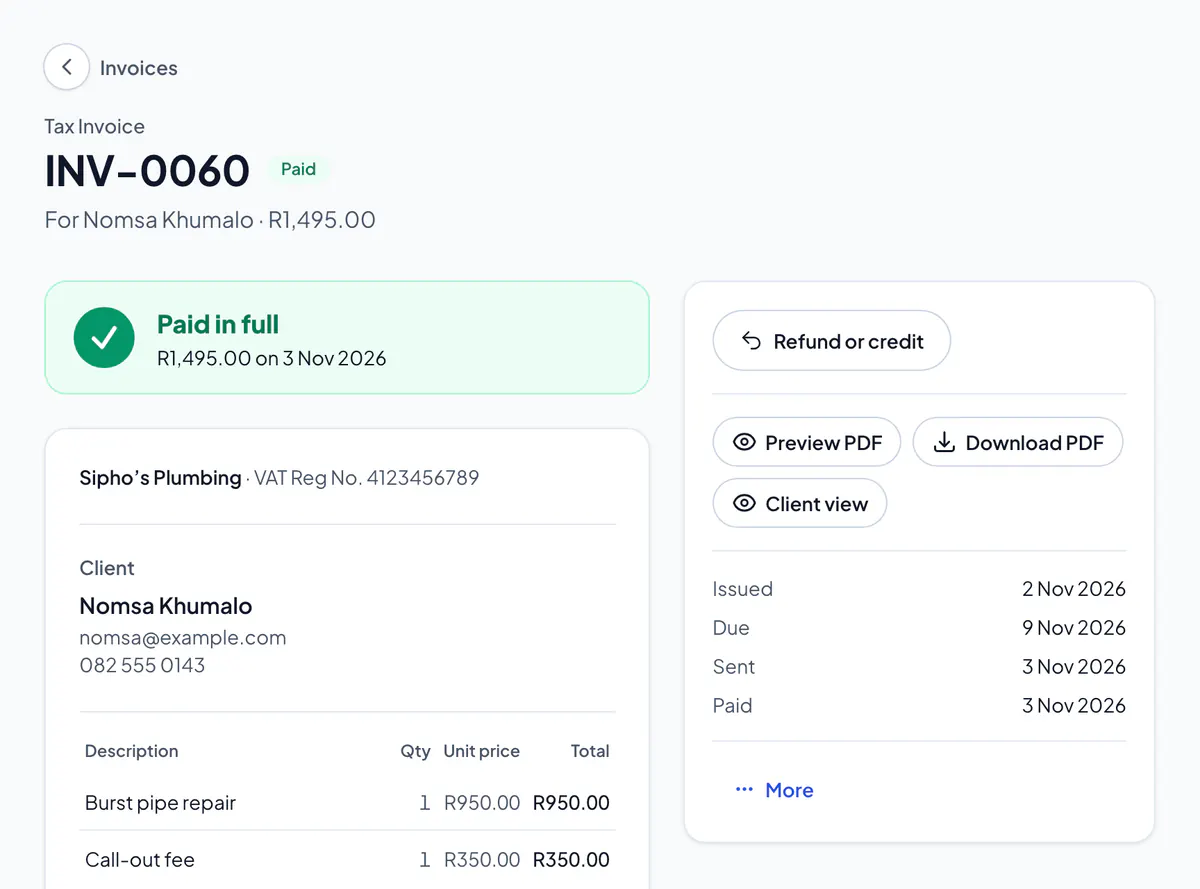
Step 5: The invoice now says Paid in full.
Step 1: Open the invoice and choose Mark as paid.
Step 2: If your client has an email address, leave “Email … a receipt” ticked to send them a receipt from your business, or untick it.
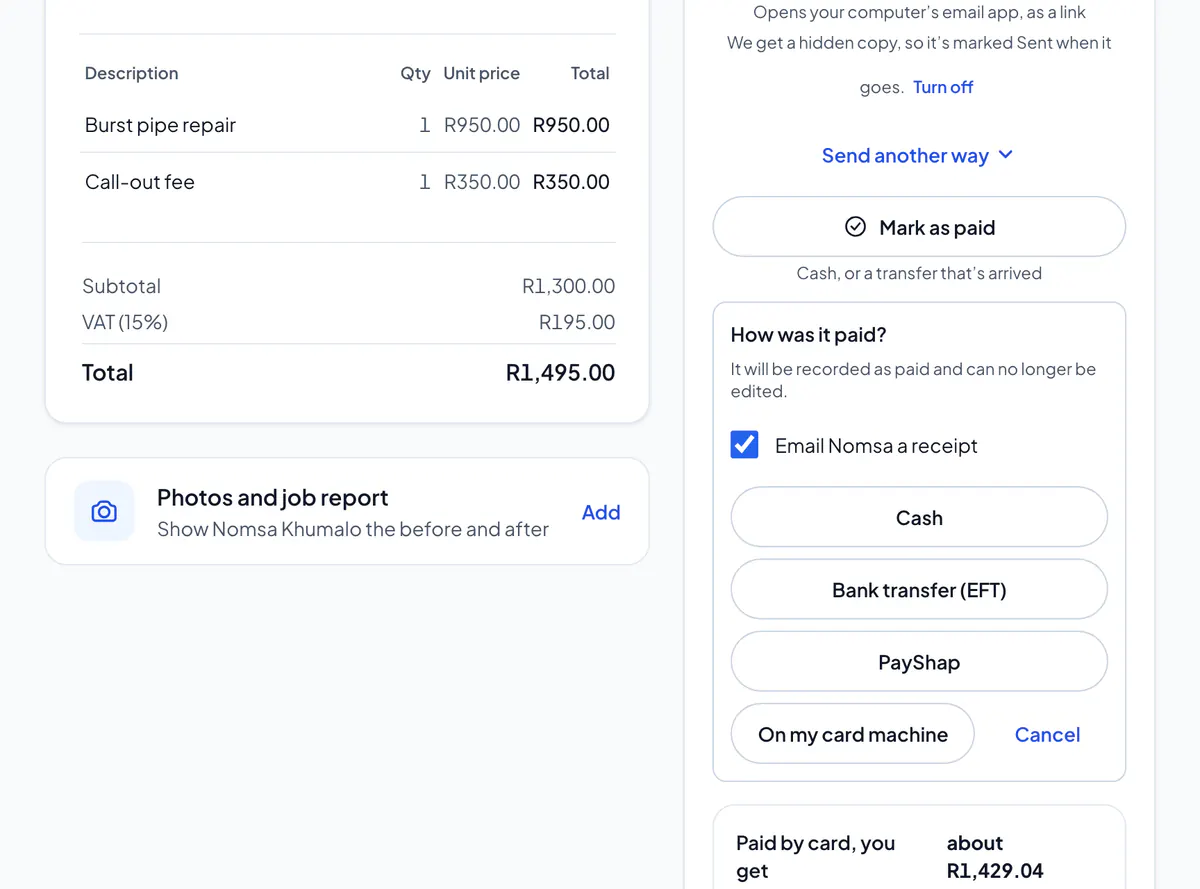
Step 3: Choose how they paid: Cash, Bank transfer (EFT), PayShap or On my card machine.
Step 4: The invoice now says Paid.
Paid by PayShap or EFT? Check the money is in your bank first. Many at once? Match your bank statement instead.
A paid invoice can’t be edited: it’s the record of what your client paid. If something was wrong, give a refund or credit note.
Did this answer your question?
Related articles
Still stuck?
Email support@thetechcompanygroup.com and we’ll help, or see Support.